 3
3BeShkspr
DailyGet inspired by Shakespeare with pick up lines on your wrist.
 21
21Kitty Clicker
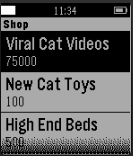
GamesKitty Clicker! This game is an incremental game for the Pebble watch that involves cats.
 5
5Tanken - AT
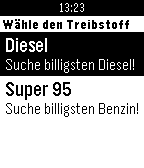
DailyData only available for Austria! Schneller Zugriff auf die Daten von spritpreisrechner.at! *Treibstoffauswahl: Diesel, Super95 *Sortierung nach Preis
![Swiss Transit [BETA]](https://assets.repebble.com/screenshots/55fecf6c4d083d7dea000086-0.png) 18
18Swiss Transit [BETA]
DailySwiss Transit saves you the hassle of pulling out your phone to check which public transport connection you need to take. With one click, it checks connections from stations near you to stations near your destination. If you are enjoying the app, please consider buying me a drink paypal.me/GMateo You can do the following: -Add stations near you to the favorites -Edit how far you are willing to walk to your destination or delete the favorite (long-press select on a favorite) -Scroll through connections -Press select on a connection to see where you need to transfer (green screen) Before using the app, you need add your favorite stations by visiting them and adding them from nearby stations. The app uses the SBB API so it shows connections from SBB and all local public transport providers in Switzerland Don't hesitate to contact me if you have an idea for an enhancement or a problem.
 203
203Nyan Cat for Pebble
GamesWish you could have that tasty Nyan Cat animation from the Pebble Time video? Now you can! *Updated* • Press Up to slow down Nyan Cat • Press Select to turn on backlight • Hold Select to reset animation speed • Press Down to speed up Nyan Cat This update adds more incremental speed adjustments rather than the original 3 modes. Nyan Cat can now travel at insane speeds!
 142
142Squid Jump
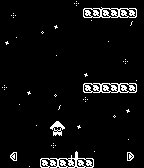
GamesA faithful recreation of the minigame "Squid Jump" from Nintendo's Wii U title "Splatoon". Features: - 20 different stages - 4 different types of platforms - 3 kinds power-ups Controls: - Press and hold Up/Down to charge up, release to jump - Tilt the Pebble side to side to control horizontal movement - Press Select to pause and unpause the game
 36
36Pebble HQ Lunch
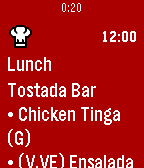
DailyPebble HQ lunch menu now on your timeline!
 10
10Mendeley
Tools & UtilitiesBrowse your Mendeley library on your Pebble! You can read the documents added via Mendeley, and see any annotations you've added. This is an unofficial app for Mendeley and is not affiliated with Mendeley in any way. It was built using the Menedeley API available at http://dev.mendeley.com
 41
41flicks
Tools & UtilitiesIntroducing flicks - a watch app created to do whatever you want whenever you want - right on your wrist. flicks is a fully configurable and scriptable app that lets you quick launch anything on your computer or any device capable of running nodejs. What's the fastest way to get going? - Install the app. - Download and launch the server by running "node server.js". - Save the IP to the watchapp settings. (NO PORT, NO HTTP://) - Connect the phone to the same network as the server. Configuration and Scripting The config.js file is the meat of the application. It includes examples that should function on most Windows computers. flicks will work on any OS - modify the configuration any way you want - it's fairly self-explanatory but a full documentation will come within a few updates.You can call entire scripts just like you would from the command line. Don't forget to restart server.js when you make changes to config.js! Controls Here's the fun part. Upon boot, the Pebble will grab your configuration from the server and display the first one on the screen. To activate it - either flick your wrist or press select. You'll see a dot at the bottom right when you activate commands. When it goes away and the watch vibrates, execution was completed. You can cycle through your functions with the up/down buttons, and if you long-press select it will refresh the configuration from the server or reconnect. Documentation available @ https://gitlab.com/n4ru/Flicks Please report any bugs or feature requests!
 4
4Purdue Menu
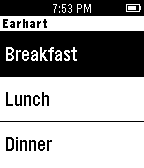
DailyView the entire Purdue Dining Court menu right on your Pebble! - View the menu for all 5 of Purdue's Dining Courts - Displays "(NS)" when the dining court is not serving at that time Email me if you have any suggestions on what I should change/improve!
 17
17Currency Converter
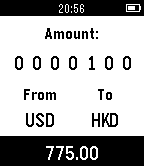
Tools & UtilitiesSimple and user friendly currency converter. *Easy to input Select button to choice digit and up/down to increment/decrement. 23 currencies acailable. *Fast fetch Minimal data will be fetched in a moment. *Currency saved automatically Last currency you used will be saved automatically.
 32
32AccelTool
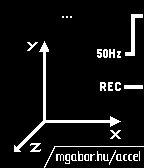
Tools & UtilitiesRecord and analyze data captured by Pebble's built in accelerometer on your PC! Data is transferred to the web app and displayed beautifully with graphs and analytic features. View your graphs at http://mgabor.hu/accel/ More polish and easier usage are coming to both the pebble client and the companion app, so keep an eye out for updates on Twitter @mgabor_hu
 6
6Burrito Pronto
RemotesBurrito Pronto delivers a burrito to you at the press of a button. San Francisco only at the moment. Everything is open source! Pebble App: https://github.com/klaw23/bp-pebble Server: https://github.com/klaw23/bp
 7
7Toronto Maple Leafs
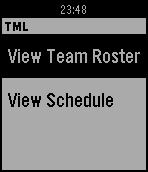
DailyA watch app for Toronto Maple Leafs fans. Currently allows for user to view current team roster and all games for the current month. More feature coming in future updates. Note: This app is not affiliated with the Toronto Maple Leafs or Maple Leaf Sports & Entertainment.
 13
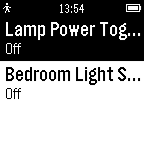
13ZWay Control
RemotesPLEASE NOTE: I no longer have a Z-Way system, I cannot verify whether this app still works. If you have one and want to take over maintenance, please reach out. --- New in 1.2: Fixed compatibility with Pebble Classic Control your Z-Wave light switches from your wrist! This unofficial app integrates with your Raspberry Pi-based Z-Way system. Currently this app only supports on/off switches, more support to come in the future. Please be sure to run Settings - a username/password can be set via http://<raspberry-pi ip-address>:8084/ if you haven't already. This app requires a Raspberry-Pi based ZWay system (http://www.z-wave.me/) to function, and also requires your phone be on the same local network as your Z-Wave system. Not compatible with other ZWave systems such as Vera. Questions or feedback welcome: [email protected] Contribute to the app at: https://github.com/radicand/PebbleZWay