 12
12Vibe Time
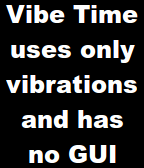
Tools & UtilitiesVibe Time lets you check you watch without looking by vibrating your watch the current hour and minute. Vibe Time sends the vibrations immediately when started and then quits. For example, you could set Vibe Time as one of your quick launch entries. That button then will send the vibes but immediately return you to the watch face. Times are sent as three groups of vibrations. The first is for the hour on a 12 hour clock. The second is the tens digit of the minute. The third is for the ones digit of the minute. Each vibe group uses as tally system. A short vibe is one. A long vibe is three. Zero is represented with four short vibes. The codes are thus a follows: 0 => sort short short shot 1 => short 2 => short 3 => long 4 => long short 5 => long short short 6 => long long 7 => long long short 8 => long long short short 9 => long long long 10 => long long long short 11 => long long long short short 12 => long long long long
 82
82WeightTracker
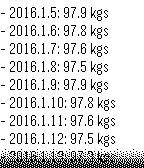
Health & FitnessSimple, standalone pebble app to record, monitor and track weight loss (or gain) in the last 14 days period. Supports daily reminders and timeline pins. Both unit of measurement (kilograms, stones, pounds) and date format can be configured.
 61
61Metronome
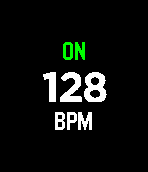
Tools & UtilitiesA minimalistic haptic metronome for the Pebble Time. Adjust the tempo with the up and down buttons and toggle vibration with the select button.
 50
50Is It Christmas
DailyThis watchapp tells you whether or not it is currently Christmas. Based on the website isitchristmas.com.
 7
7Lockitron for Pebble
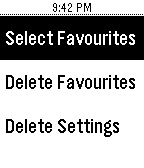
RemotesControl any of your Lockitron locks right from your wrist! Choose favorite locks to keep on the main menu for easy access. Works with all Lockitron products. Requires authentication only on first load. Login to your Lockitron account: MyPebble->Apps/Timeline->Lockitron for Pebble->Settings
 1
1HyperX Event
Health & Fitness"Lorem ipsum dolor sit amet, consectetur adipiscing elit, sed do eiusmod tempor incididunt ut labore et dolore magna aliqua. Ut enim ad minim veniam, quis nostrud exercitation ullamco laboris nisi ut aliquip ex ea commodo consequat. Duis aute irure dolor in reprehenderit in voluptate velit esse cillum dolore eu fugiat nulla pariatur. Excepteur sint occaecat cupidatat non proident, sunt in culpa qui officia deserunt mollit anim id est laborum."
 4
4DroidPlanner2 for 3DR IRIS+
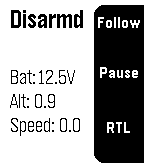
RemotesOriginal DroidPlanner 2 pebble app
 72
72Exposure Calculator
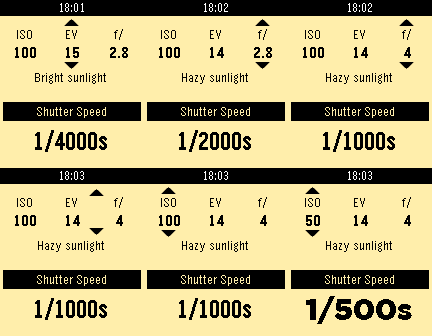
Tools & UtilitiesFor film camera lovers without a light meter handy, you can just use your watch! Calculate shutter speed based on ISO, aperture and EV. Use the select button to switch between ISO, EV and aperture, and up and down to change values. We provide some reference scenes for each EV value to help with the EV estimation.
 122
122PebbleQuest
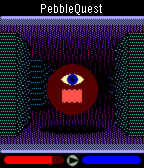
GamesA 3D fantasy action-RPG! Explore dungeons, slay monsters, level up, and wield Pebbles of Power to cast spells or enchant your weapons and armor. How long will you last in the dark, cavernous depths of PebbleQuest? UP: Press/hold to step forward. Press twice to turn left. SELECT: Press to use your current weapon/spell. DOWN: Press/hold to step back. Press twice to turn right.
 31
31Commander for Pebble
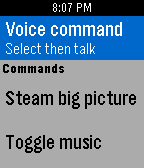
RemotesCommander for Pebble is a watchapp that turns your Pebble into a remote control for your Linux PC. You can use it to launch your favorite programs, or use it for automation with your own scripts. Please see the GitHub link for set-up instructions.
 30
30Typing In Morse
Tools & UtilitiesTyping In Morse (Beta) is a fun and quick way to write text with the Pebble via Morse Code. Future updates hopefully will feature different fonts/background color, texting through phone, and much more. Top: + (Dot) / Hold for Backspace (currently only deletes last letter typed) Middle: - (Dash) / Hold for Space Bottom: Enter / Hold to erase all text OR if no input is entered, it changes cases (uppercase/lowercase) To open the reference sheet, flick your wrist when the input is empty! Scroll through the pages as you deign fit, and then flick again to return to the main text interface.
 8
8Glance TextWatch
DailyGlance TextWatch with slide in data panel. Requires Premium. Does NOT include other watchfaces. Cannot accept custom faces
 19
19Limone
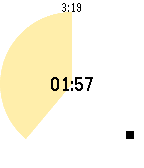
Tools & UtilitiesA simple pomodoro timer for Pebble, to notify 25 minutes work finished and after take 5 minutes break. Optionally supports to trigger IFTTT Maker channel and show today's tasks in Todoist.
 16
16Tracker
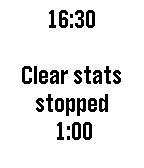
Tools & UtilitiesSimple time tracking program for up to five projects. You can edit the project names and times using "Settings" on the phone. It's ok to run a different application while a project is being tracked and it's ok to assign time to multiple projects at once. Resetting to zero can be done by holding down the middle button for 1 second. The program also tracks the bluetooth connection and displays a bluetooth symbol (with a buzz) when signal status changes.
 22
22RubikStopTap
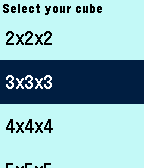
Tools & UtilitiesThe best application to measure your time solving the Magic Cube, just select the size of your cube, Scramble your cube, shake your Pebble to start review time, when Pebble vibes start solving, when done shake your Pebble to stop the timer and Check your time, shake your Pebble to register your time and reset the timer. Now your Pebble is ready to start again and again. Keep track of your stats like average, best and worst times for each cube size independently and compare it with your friends. Happy solving!!