 4
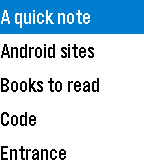
4OI Notepad
Tools & UtilitiesAn interface to the OpenIntents Notepad on Android phones. View your OI notes on your watch.
 11
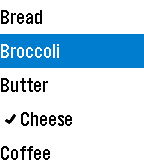
11OI Shopping List
Tools & UtilitiesAn interface to the OpenIntents Shopping List on Android phones. View your shopping lists on your watch, check/uncheck items while you are shopping, and add items from your watch (experimental).
 13
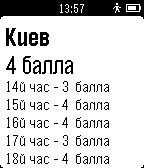
13Probki
DailyПробки Показывает текущую обстановку по пробкам в городе, а так же на указанных маршрутах дом-работа, работа-дом. Данные берутся с Яндекс.Пробок.
 10
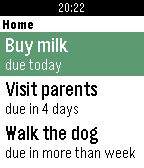
10Tracks for Pebble
DailyUnofficial client application for Tracks - an excellent Getting Things Done implementation. What it does: - displays list of active todos, together with due dates, - toggles between done and incomplete, - displays task notes. Usage: - select to see item's note, - long select to toggle between done and not done. You need to have Tracks instance setup. This watchapp is useless by itself. For more details how to do it, visit http://getontracks.org/.
 23
23Catholic Daily
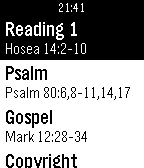
DailyAn App designed to help you grow your Catholic Faith! This App offers the daily readings (courtesy of Universalis), as well as a simple Rosary/Chaplet of Devine Mercy. The readings are for today and the next six days. And the Rosary includes all of the Mysteries and Prayers that you would need. I hope this helps :)
 20
20Flood
GamesFill the board in as few moves as possible. Use the up and down buttons to change colors, and use select to pick. You have 26 moves to fill the board, or else it's game over!
 4
4Flex Timer
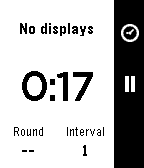
RemotesFlex Timer for Pebble lets you go hands free when controlling your GymNext Flex Timer. Combined with an iPhone or Android app, you can easily choose your workouts, connect to different displays, and start, pause and reset the timer.
 41
41Alerty Personal alarm
RemotesTurn your Pebble into a trigger for Alerty Personal alarm. Alerty is a personal alarm for Smartphones. With Alerty you can easily alert a group of pre selected alarm receivers which can listen to the emergency situation and follow your position on a map in real time. Activate an alarm by pressing the "select" button three times on your Smartwatch! Read more at our website!
 158
158Simply.js
Tools & UtilitiesCreate interactive text apps for the Pebble with just JavaScript! No Pebble SDK required. Just place your script's URL in the configurable. Visit the website for more details.
 494
494Commute
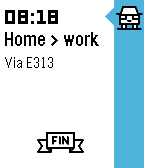
DailyGet live traffic information for your commute at a glance! See how long it'll take you to get from your current location to work or home – including how much you'll be delayed by traffic jams along the way. Better yet: have your watch tell you when to leave for work thanks to Commute's Pebble timeline integration. Magic! Brought to you with ♥ from the beautiful, traffic-stricken land of Belgium. Traffic data supplied by Google Maps.
 98
98Pixebble
Tools & UtilitiesPixebble is the fastest way to preview your designs accurately on Pebble devices. With Pixebble, you can make sure your designs appear exactly the way you want on the Pebble OG, Pebble Time or Pebble Time Round. Go to www.half4.com/pixebble/ to start sending your design to your pebble watch ! Pixebble is included with a Dither library, who automatically convert the colors of your design to match the smartwatch's color palette. Getting Started Pixebble is a combinaison of a web service and an app. Because it's complex to send image data to a Pebble, we cannot refresh the image in real time ; the user have to manually upload his design. * Download this watchapp * Open Pixebble website on your favorite browser * Set a custom Unique Identifier and add it in the settings of the watchapp. * Upload your image on the website * Shake the watch or press the middle button to get the image on the watch
 67
67ChinaBus
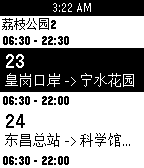
Tools & Utilities可实时获取附近公交到站时间 可在公交详细页按选择键收藏,用以加入快捷菜单(即启动app第一屏列表中)快捷打开常用公交 目前只是测试了pebble time 第一版本暂没有提供清除数据的功能 大家有建议或者有发现问题请联系 注: (请打开gps!!) QQ: 1534760747 Email: [email protected]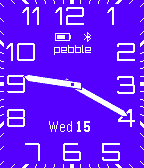 104
104Modern+Timer
DailyFor left-handers now you can turn the screen upside down! An analog watchface app based on Lukasz Zalewski's design with the addition of a stopwatch and countdown timer. The timer function is started by pressing the select button and then either the up or down buttons depending on what type of timer is required. Various features of the app, including the color of the watchface and its orientation, are configurable in settings which also includes full instructions on how to operate the timer function.
 82
82Jarvis
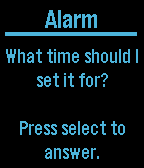
Tools & UtilitiesA Voice Assistant for Pebble Time I can help you in the following ways: Add an alarm to your phone Launch an app on your phone Add an event to Calendar Search Contacts and return email and phone number Send text message by contact name Play music Start navigation to a given address Return temperature with high and low for a time and/or place Return travel time from current location to a given address Return when the next episode of a TV show will be on Tweet Query Wolfram Alpha Check sports scores
 8
8Chesty
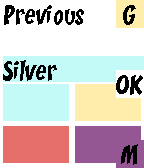
Tools & UtilitiesFan of Clash Royale? Enter your the chests you receive from battle and this watchapp will predict the type of your next chest.