 7
7Pekkle
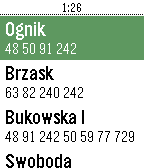
DailyPoznań, Poland timetable app. Shows stops around you and fetches live data about departure times from PEKA system. tags: Poznań, Poznan, mpk, ztm, peka
 8
8Sanntid
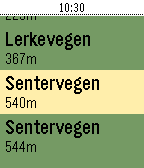
DailyShow realtime schedule info for busses in Rogaland, Norway (Kolumbus)
 82
82cnBeta
DailycnBeta阅读器继续优化阅读体验,带来更成熟的1.4版本~~~ 此版本缩小了字体的显示,能够在满屏状态下显示更多的新闻内容~~~ 1.减小字体大小,方便阅读更多的新闻。 2.去掉新闻摘要的滚动显示方式,统一摘要和正文都采用翻页的方式。在同屏显示更多内容的情况下,提升了阅读体验,减少了按键的损耗。 [ps:开发者在中途入了ticwatch,所以暂停了一段时间更新,最后发现tic、aw等表续航和功能都不满意,目前回到了OG pebble,以后会有更多新闻类应用上架pebble,敬请期待~~~联系我扣扣185261784]
 89
89知乎日报
Daily全新阅读应用,知乎日报上架了~~~ 采用和cnBeta一样的阅读器框架,方便易用~ 意见和建议扣扣185261784~~~ ps:喜欢就请点上面的大大红心~~~
 4
4IPL Scores
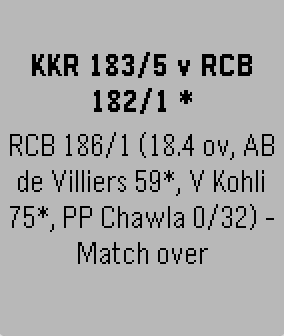
DailyThe fastest app delivering live IPL scores right to your Pebble.
 71
71Opus - A Kodi Remote
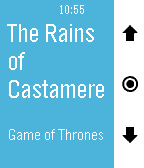
RemotesA free, beautiful remote for Kodi. Take control of your media center from your wrist. Adjust your Kodi's volume by short pressing up and down buttons, skip to previous and next tracks or playlist items by long pressing them. Switch to skipping and menu navigation by long pressing select and navigate Kodi's on screen menus up, down, left (long press up), right (long press down), select and back (double press select). Shake your watch to update the screen. A battery-friendly alternative to regularly polling Kodi in the background. In the host selector you can choose your active Kodi host from a list of IPs that is definable in the Settings phone app. Opus supports multiple hosts with password protection. Opus will always be free. If you like this app, please give it a heart in the app store so that others can find it. If you love this app, donations are great for motivation. Kodi used to be called XBMC.
 36
36Battery Saver / Drainer
Tools & UtilitiesThe simplest app to either save or drain your Pebble's battery If you like Battery Saver / Drainer give it a heart! (If you use the Battery Drainer, to switch to the Battery Saver, please relaunch the app
 30
30Orémus
DailyThis app was an endeavor to provide a Catholic prayer guide for daily use. All of the basics are found in this app for your daily prayer life. The rosary updates daily to show you the current mysteries for that day. Other items include Divine Mercy chaplet how to, basic prayers, a confession guide, and stations of the cross. Future plans to add daily readings and saint of the day.
 14
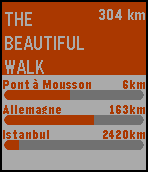
14The Beautiful Walk
Health & FitnessL'objet de cette application est de visualiser votre progression sur The Beautiful Walk Si vous ne connaissez pas The Beautiful Walk, plutôt que de long discours je vous encourage à aller voir le site http://www.thebeautifulwalk.com/ Précision, cette application n'est pas une application officielle et sa fiabilité n'est pas garantie. (mais c'est sans danger elle ne fait que lire votre page) En cas de soucis, de commentaire ou de suggestion, vous pouvez me contacter sur twitter: @kpouer
 38
38VibrTime
DailyCheck the time without having to look at your watch! Program VibrTime to one of your app launch buttons to launch it quickly. Press one of the three right hand buttons and the watch vibrates to tell you the time. * Press the top button to vibrate the number of hours (1-12). * Press the middle button to vibrate the number of tens of minutes (0-5). * Press the bottom button to vibrate the number of minutes (0-9). So if the time was 1:23pm, pressing the top button vibrates once, pressing the middle button vibrates twice and pressing the bottom button vibrates three times. Great for meetings or if you are sight impaired.
 13
13Scubawatch
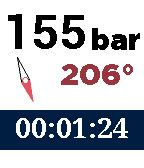
Health & FitnessA companion to scuba divers. This app can help you time your dives, and record your air consumption and compass heading. Simply press the up and down buttons to change the air pressure, and it will be recorded and time-stamped. To record the compass heading, press the middle button. You can see a log if you long-press on the select button. To reset the timer and clear the log, double-press the select button. Every five minutes it will vibrate to remind you to log the air pressure.
 49
49Address Here China
DailyOnly use in China.(need chinese font) 简单的地址查询。 根据现在的经纬度(手机必须开启GPS和网络),查询地址。 路线规划显示请于设定页设定目的地(以同城市短距离为限),并点选开启路线规划。 (部分手机可能无法于设定页显示地图) 最后一次地址查询结果会被保存。 执行后或设定页返回自动执行查询。 右中键:地图页与文字页切换 文字页: 右上键:查看上次查询结果 右下键:查询最近查询结果 地图页: 右上键:地图放大 右下键:地图缩小
 5
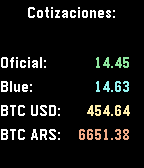
5Dolar y Bitcoin Argentina
DailyDolar y Bitcoin Argentina muestra la cotización de USD y BTC, extraidos en tiempo real de Bluelytics y Coindesk. Use los botones Up y Down para actualizar las cotizaciones
 7
7SpeedApp
GamesA fun and quick game for Pebble which tests and improves your hand-eye co-ordination It uses PebbleJs and server side API for saving high scores Just do what the App says :) Press back button for 3-4 seconds (long back press) to exit the app My first Pebble app created at AngelHack 2016 Mumbai Currently supports Pebble Time and Pebble Time Steel I would be improving the UI and adding support for all Pebble in coming weeks App Logo - http://megaicons.net/iconspack-1039/43396/ (Free for non-commercial use) You can contact me for adding any features/feedback
 79
79Rogue's Ring
Tools & UtilitiesThe Rogue's Ring Companion App features cryptic hieroglyphs that provide crib notes for 24+ different Scam School effects. No matter what room you're in, no matter what kind of crowd you're faced with, you'll have your cheat-sheet to perform some of the best tricks you've learned over the last 5 years of Scam School episodes. For more info on each trick visit https://www.youtube.com/watch?v=qQ5V3gGvmC4