 13
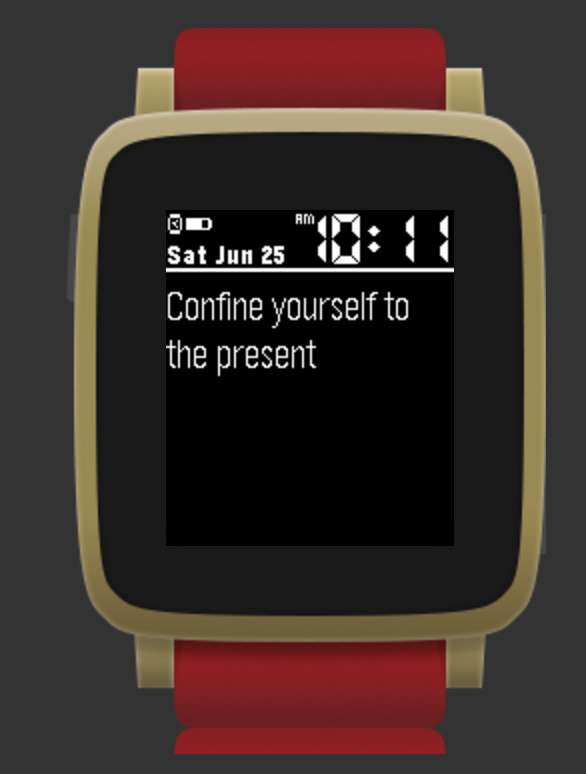
13Karma Yoga Quotes
DailySayings from Buddha, Gandhi, Einstien, Gita and other enlightened souls
 23
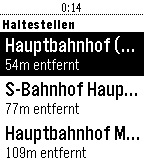
23MVV Abfahrtszeiten
DailySearch for nearby train stations and bus stops in Munich and get the next departures at those stations. Deutsch Zeigt die nächstgelegenen Haltestellen im Münchner Nahverkehr und die nächsten Abfahrten. Der ideale Begleiter in München!
 22
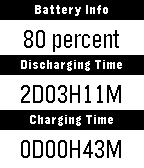
22Battery life
Tools & UtilitiesTrace how many days your battery has lasted.
 2
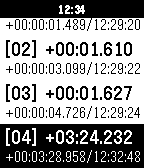
2Lap counter
Tools & UtilitiesA simple lap counter for runner or swimmer.
 44
44Bouncy Balls
GamesBored? Waiting? Bouncy Balls is a time wasting game that uses the accelerometer to move multiple balls that bounce. Please give it a Heart to show appreciation!
 1.2K
1.2KAuthenticator
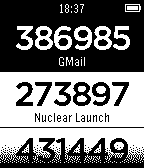
Tools & UtilitiesGenerate Google Authenticator two-factor authentication codes right from your Pebble! Perfect for use with the most popular two-factor authentication systems, including GMail, Dropbox, LastPass, Amazon Web Services, and many more.
 9
9Samsung ARTIK Cloud
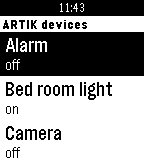
RemotesSamsung ARTIK Cloud WatchApp helps you remote control your devices registered on the ARTIK Cloud platform. To authenticate on the ARTIK Cloud platform, go to ARTIK Cloud settings in your Pebble Phone application.
 4
4Brazil Flights (beta)
DailyBrazil Flights allows you to view your flight data in real time! Scan your QR code and get all the info you need. Note: It's a beta app. It does not support all Brazilian airports.
 17
17Meine Öffis in Wien
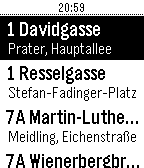
DailyWieder einmal den Bus/ die Straßenbahn verpasst? Mit dieser App weißt du, ob Laufen musst, oder dir Zeit lassen kannst. Konfiguriere einfach deine wichtigsten Stationen und du kannst jederzeit über deine Pebble abfragen, wann dein Öffi fährt. Du möchtest wissen, ob die Straßenbahn barrierefrei ist? Das erkennst du einfach am Kürzel BF. Konfiguration: 1. Linie auswählen 2. Station + Fahrtrichtung auswählen 3. Hinzufügen 4. 1-3 für alle gewünschten Stationen wiederholen 5. Die gewünschte Reihenfolge durch die Pfeile einstellen 4. Konfiguration Speichern Alle Daten wurden von den Wiener Linien (http://www.wienerlinien.at/) unter CCBY-Lizenz zur Verfügung gestellt. Datenquelle: Stadt Wien – https://data.wien.gv.at
 4
4JS Compatibility
Tools & UtilitiesA Pebble watch app to test the compatibility of different JavaScript engines. This is being used to test RockWork's compatibility with the official Pebble App's JavaScript engine. RockWork is an unofficial Pebble app for Ubuntu Touch.
 13
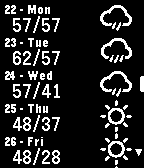
13Express Forecast
DailyA straight-to-the-point watchapp for getting the weather. Will give the next 10 days forecast as soon as its opened. The intention of this app was to answer the question "What's the weather like in four days?" as quickly as possible. With a good connection it can have the weather for the current location displaying in a few seconds. Can be configured for Celsius or Fahrenheit.
 6
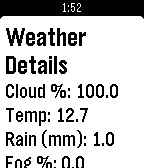
6Auroras.live
DailyAuroras.live provides up to date, at a glance information for aurora hunters. If you've ever wanted to view the northern or southern lights, auroras.live can give you the information you need. The auroras.live watch app takes this one step further and gives you this information on your wrist, showing you three day aurora forecasts on your timeline, weather for your current location updated every minute and a a probability that you'll see an aurora! The app makes use of the timeline, so you'll receive notifications on upcoming high-Kp periods half an hour before they happen, so you have time to grab your camera and go! If you want even more information, be sure to check out the Auroras.live apps for iOS, Android and desktop, available at : http://app.auroras.live
 19
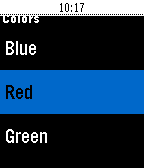
19Color!
GamesI was bored one day and looking through the pebble store and I realized there weren't any drawing apps with color! So I set off to make one. Draw in color whatever you want to your heart's content! The app works best with Pebble Time watches, but will still work with Pebble and Pebble Steel with fewer color options. If there are any additional features you would like to see send suggestions to [email protected]. Controls: Use the buttons to move the cursor around in four directions. Long pressing the center button turns the color on and off. Color starts off by default. Long press up to choose your color. Long press down to keep backlight on. Long press the back button to leave the app. Note: This app is made with pebble.js so a connection to a phone is required.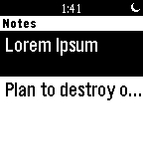 263
263Infinite Notes
Tools & UtilitiesApp allows you to store notes with infinite length. You can edit them throught Settings in Pebble or via our website. Now with OFFLINE mode! Read notes from wrist without internet connection.
 35
35Dribble
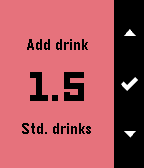
Tools & UtilitiesDribble is a BAC estimator for your wrist, compatible with the Pebble, Pebble Time and Pebble Time Round. DISCLAIMER: This only estimates your BAC - Your actual BAC may vary from what is estimated. Features include: - Track time since first drink - Estimate time to zero BAC - Estimate current BAC - Adjust time offset since first drink Instructions for use: 1. Enter your gender and weight 2. Use the first and second menu items to add drinks - First menu item allows you to add custom drinks - Second menu item contains preset drinks 3. Use the third and fourth menu items to adjust time offset (If needed)