 15
15Voice J ↔︎ E
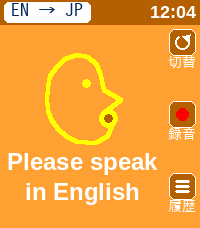
Tools & Utilities英語と日本語相互に対応した翻訳アプリです。 アプリを日本語用と英語用に切り替えて使用します。 翻訳された文字は相手に見せるために180度画面を回転させることができます。 This is a translation app that supports both English and Japanese. You can switch between the Japanese and English modes within the app. You can rotate the screen 180 degrees to show the translated text to the other person.
 6
6HIYOKO
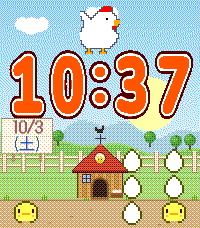
FacesThis is a cute chick watch face that I designed with my daughter. It's so cute.
 23
23Spinning Clock
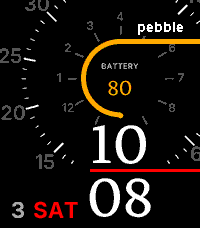
FacesThe Folding Watch has been updated to offer improved visibility and a more stylish design. You can choose between a white or black background. You can also select your preferred color for certain parts.
 5
5Dot Face Weather
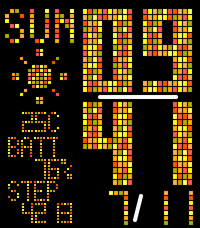
FacesDot Face Weather When you launch the app, dots flow in from the left. We’ve released a major update. Just give your wrist a light shake, and the layout will slide to display the weather forecast. Current weather, tomorrow’s weather, weather in 3 hours—the display switches to show the information you need. “Features” Displays the time, date, day of the week, weather, and temperature for your current location. Tap to switch: Tomorrow’s weather / Weather in 3 hours “Additional Features” Battery level display, step count display “Color customization has been greatly enhanced!” You can now select colors for each category, such as time, calendar, and background. The number of available colors has also increased. You’re sure to find your favorite color scheme. Translated with DeepL.com (free version) Dot Face Weather アプリを起動すると、左側からドットが流れ込んできます。 大型アップデートしました。 手首を軽く振るだけで、レイアウトがスライドして天気予報が表示されます。 現在の天気、明日の天気、3時間後の天気――必要な情報に合わせて表示が切り替わります。 「機能」 現在地の時刻、日付、曜日、天気、気温を表示 タップして切り替え:明日の天気 / 3時間後の天気 「追加機能」 バッテリー残量表示、歩数表示 「カラー選択が大幅強化!」 時間、カレンダー、背景などカテゴリ毎に色を選択できるようなりました。 選択できる色も増加。 あなたのお気に入りの配色がきっと見つかります。
 10
10MapNavi JP
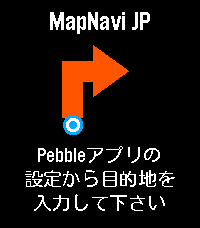
Tools & UtilitiesMapNavi JPは、スマホのMapNavi JP設定画面から住所を入力することで、Pebble Time 2のウォッチ画面に「300m先で右折」といった指示が矢印で表示される、日本向けナビゲーションアプリです。 徒歩・自転車・車の3つの移動手段に対応。 表示縮尺が変わることが目的で、経路は移動手段に最適化はされていないと思います。 カラー画面に周辺地図を表示し、曲がり角では自動的にバイブで通知します。 あくまで参考程度にすることをお勧めします。 ・カラー地図: 周辺の道路・建物・公園・川をリアルタイム表示 ・リアルタイムGPS追跡: スマホのGPSで現在地を自動追跡 ・経路から外れると自動リルート: 80m以上外れると自動で経路を再取得 ・曲がり角でバイブ通知: 指示が変わったことをすぐに知れます ・日本の住所に対応: 駅名・建物名での検索も可能 ・複数の移動手段: 徒歩・自転車・車から選択
 14
14MORE-RECOMO
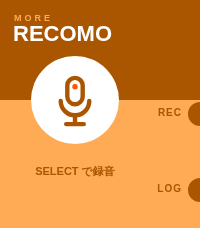
Tools & UtilitiesMORE RECOMO This is an enhanced version of the original RECOMO app. It’s a voice memo and notification app. Jot down, save, and set reminders for thoughts that pop into your head. The app enters recording mode as soon as you launch it. Main Features 1. Voice Recording & Transcription Automatically transcribes audio using Pebble’s speech recognition 2. Log Management Saves transcribed content as logs (up to 20 entries) Use the LOG button to view a list of past logs Unneeded logs can be deleted 3. QR Code Display Converts saved text into a QR code and displays it Can be scanned with a smartphone 4. Notification Scheduling Set up notifications to be received from Pebble at a specified time A countdown is displayed on the home screen while a notification is scheduled Notifications can be canceled using the UP button Voice recognition uses the Pebble free plan, which allows 50 uses per month. Translated with DeepL.com (free version) MORE RECOMO 旧RECOMOアプリの機能強化版です 音声メモ&通知アプリです。 ふと思ったことをメモ、保存、思い出す通知機能。 アプリを起動するとすぐに録音モードになります。 主な機能 1. 音声録音・テキスト化 Pebbleの音声認識で自動的にテキスト化 2. ログ管理 テキスト化した内容をログとして保存(最大20件) LOGボタンで過去のログを一覧表示・閲覧 不要なログは削除可能 3. QRコード表示 保存したテキストをQRコードに変換して表示 スマートフォンで読み取ることができる 4. 通知スケジュール設定 指定した時間後にPebbleから通知を受け取る設定が可能 通知設定中はホーム画面にカウントダウンを表示 UPボタンで通知をキャンセル可能 音声認識は50回/月 のRebble無料プランを利用しています。
 26
26Mountain Moon
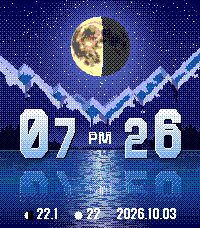
FacesMountain Moon A landscape watch face. Features ・Automatic day/night switching — Detects sunrise and sunset times. Transitions from sunrise → daytime → sunset → moonlit night ・Moon phase display — Shows the current moon phase and the number of days until the full moon ・Weather animation — Dedicated screens for cloudy and rainy conditions ・Time display — 12-hour format
 9
9Folding watch
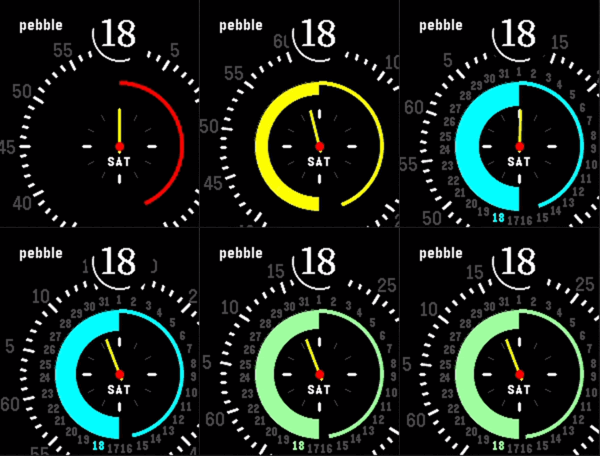
FacesFolding Watch - Watch Face for Pebble Time 2 This watch face features a concentric ring design that lets you see the time at a glance. Basic Display The time is displayed prominently on the black disc in the center. The day of the week appears at the bottom of the watch, and the outer rotating dial indicates the minutes and rotates. The magnifying glass-shaped lens at the top always displays the current minute in large numbers. Battery and Seconds To the left of the central circle, a color gauge displays the remaining battery level. The color changes depending on the remaining charge: green (high) → yellow → orange → red (low). To the right, an arc indicating seconds fills up from 0 to 60 seconds.
 8
8JUMPING TIME
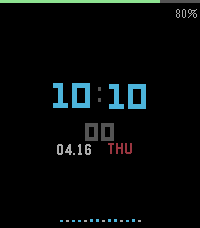
FacesJUMPING TIME — Sensor-Responsive Watch Face A minimalist watch face that displays the hour, minute, second, date, day of the week, and battery level, reacting in real time to your body’s movements. Pendulum Display The accelerometer detects the direction of gravity and causes the time display to swing like a pendulum. When you tilt your wrist horizontally, the numbers move toward the edge of the screen, and the spacing between lines narrows, creating a motion that mimics the pull of gravity. When stationary, the display remains virtually still. Sensor-Triggered Effects Depending on your heart rate, the text color changes from a cool blue at rest to a deep red at maximum exertion. Depending on your step count, the accent color of the day-of-the-week display changes, shifting toward orange as you get closer to your daily goal. Depending on the intensity of acceleration, the animation of the waveform bar at the bottom of the screen changes. Compatible Models: Pebble Time 2 (emery) / Pebble Round 2 (gabbro) Note: This has not yet been tested on actual devices. Minor adjustments to the display and effects may be necessary after the watch arrives.
 27
27Rotating clock
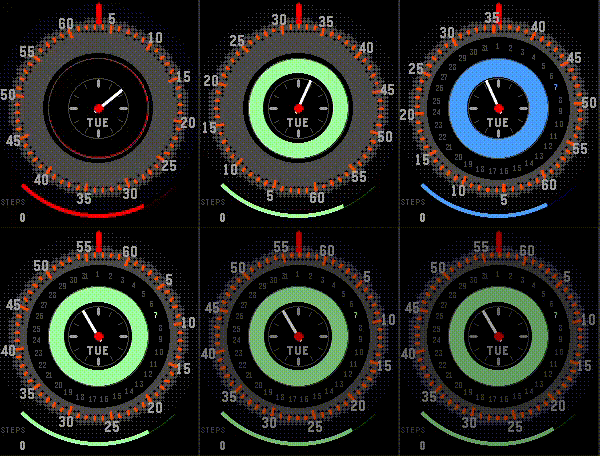
FacesWhen turned on, it rotates to display the time. You can also tell the battery level by the color of the circle.
 54
54Dot Face
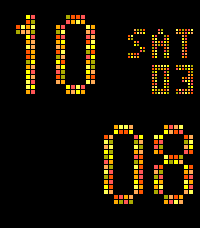
FacesTime emerges from the random noise. You can now set the color from the Pebble app. ・Orange ・Blue ・Green ・Purple Please select your favorite color. To improve battery life, we have removed the seconds display and replaced it with a calendar.