 11
11Station
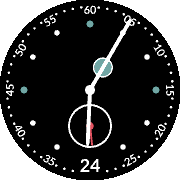
FacesA watchface inspired by NOMOS Metro Configuration options to come in the future. Features: - Battery indicator at 1 o'clock position (Green - 100%, Yellow - 50%, Red - 10%) - Mini seconds dial at 6 o'clock position - Date box at 6 o'clock position Thanks to pebble-fctx!
 24
24LowViz Dark
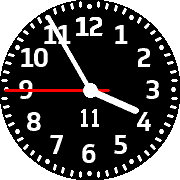
FacesLowViz Dark is an analogue watchface that emphasises readability for low vision users. It displays the Date (Day of Month), Time (Hours, Minutes, Seconds). It vibrates when disconnected from Bluetooth. Shake to toggle the seconds hand.
 15
15LowViz
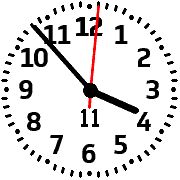
FacesLowViz is an analogue watchface that emphasises readability for low vision users. It displays the Date (Day of Month), Time (Hours, Minutes, Seconds). It vibrates when disconnected from Bluetooth. Shake to toggle the seconds hand.
 49
49Perpetual
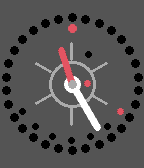
FacesPerpetual is a watchface that displays the time, date, month and the weekday in an analogue fashion. The hour hand is red, and the minute hand is white. The 6 markers are ten minute markers. In between the 12 o'clock mark and the 2 o'clock mark is the AM/PM indicator. The dot is white during the AM and turns black in the PM. The Date is represented by a red circle which resides on the outer ring of 30 + 1 circles. The 10-minute markers make it easier to read the date. For example the marker on the 30th minute indicates the 15th of the month (30÷2=15). The Month resides as a red dot in the central ring. The dot's position on the dial represents the current month. For example, if the dot is on the 6th hour, the month is June. At 2 o'clock the date would be February. At 12 o'clock, its December. The Day of the Week resides at the lower half of the circle as black dots. The current day of the week is represented by a red dot. It starts at the second marker (20 minutes) at Sunday. At the 6th hour mark, it would be Wednesday. On the 8th hour mark it would be Saturday. The watch will vibrate (long-long-short) when bluetooth is disconnected. Or you can disable that behaviour. Make it yours by customizing every color or choose from one of the defined themes. You can also use a metal texture style of the background color. Screenshot examples: 1) Monday, March 31, 11:25 PM 2) Monday, September 1, 3:00 AM 3) Wednesday, November 20, 5:25 AM 4) Saturday, July 23, 12:00 AM The design is inspired by Ludwig Oechslin's Perpetual Calendar.
 18
18SleepyTime App
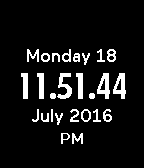
Tools & UtilitiesSleepy Time is an app that saves your battery by only displaying the time when the Select/Middle button is clicked! View the date with the Up Key; you may also hide the date with the Down Key. Clicking the Middle button again will turn off the screen or you can let it be as it will automatically turn off after 10 seconds.
 7
7ZFACECLOCK
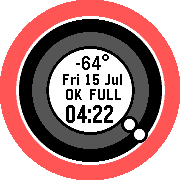
FacesInspired by AOFACECLOCK1st by Akemori Oda The same design with the following additions: - New Colours every time the watchface is launched and every time the Day changes (was every minute) - Added Weather updates - Updates every 25 minutes - Use Current Location (GPS) or Fixed Location - Vibrates when Bluetooth disconnects - Displays the current Apparent Temperature - Weather powered by Forecast.io (no API key required!)
 74
74Minima
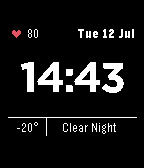
FacesA minimalistic watchface with the key essentials. Weather is provided by Forecast.io (no API Key Required!) Features: - Weather Updates every 45 minutes - Bolt/Heart displays the current battery level - Displays the current apparent temperature and the hourly summary condition - Weather uses GPS or Fixed Location - All colours are configurable - Alternative Time Font - All Text elements can be bolded - Vibrates on Bluetooth disconnect
 7
7Cirkular Helios
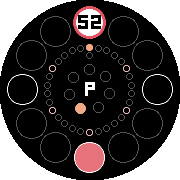
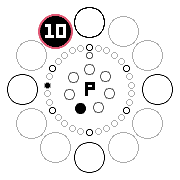
Faces-- TIME ROUND EXCLUSIVE -- It's Cirkular with Sunrise/Sunset indicators and in dark mode. An analogue clock that displays the time and date based on the positions of the clock. Telling the time is as simple as looking at the outer ring Outer Ring (12 circles) tells the current hour, minute, month, and today's sunrise/sunset clockwise. - Today's Sunrise and Sunset times are filled with Yellow and Orange respectively. It relies on the current location provided by your phone or from your fixed coordinates. - Hour 12/December (0), Hour 3/March (3), Hour 6/June (6), Hour 9/September (9) are marked with a black ring for visibility. - The white circle displays the current hour's position. It also displays the minute on the same circle. - The current month has a red outline. Middle Ring (30 + 1 circles) is the month dial. - Days divisible by 5 are marked with a pink ring for visibility. - Day 30 is on the 12hr position. - Day 31 is below Day 30. - The white circle displays today's date. Inner Ring (7 circles) displays the week day. - Week starts on Sunday, on the 12hr position - The white circle displays the current week day. The Center AM/PM indicator, indicates the current AM/PM status. - Turns red/pink when it is a leap year. Sample time and date in Screenshots: 1. Thursday, December 1, 12:52 PM. Sunset Hour at 6pm. 2. Friday, March 5, 4:52 AM. Sunrise Hour at 9am. 3. Saturday, July 9, 3:56 PM. Sunset Hour at 4pm. (Leap Year).
 13
13Cirkular
Faces-- TIME ROUND EXCLUSIVE -- An analogue clock that displays the time and date based on the positions of the clock. Telling the time is as simple as looking at the outer ring Outer Ring (12 circles) tells the current hour, minute, and month clockwise. - Hour 12/December (0), Hour 3/March (3), Hour 6/June (6), Hour 9/September (9) are marked with a black ring for visibility. - The black circle displays the current hour's position. It also displays the minute on the same circle. - The current month has a red outline. Middle Ring (30 + 1 circles) is the month dial. - Days divisible by 5 are marked with a black ring for visibility. - Day 30 is on the 12hr position. - Day 31 is below Day 30. - The black circle displays today's date. Inner Ring (7 circles) displays the week day. - Week starts on Sunday, on the 12hr position - The black circle displays the current week day. The Center AM/PM indicator, indicates the current AM/PM status. It turns red when it is a leap year. Sample time and date in Screenshots: 1. Sunday, December 31, 12:00 AM 2. Tuesday, June 20, 2:13 PM 3. Sunday, August 6, 5:25 PM 4. Thursday, November 23, 11:10 PM 5. (Colour Theme preview) Friday, July 8, 2:19 PM Coming soon: - Custom colours - Hourly forecast Inspiration: Revolver by Pebble Ochs Und Junior Perpetual Calendar Orbit by Tom Medley Note: Developers and Advanced Users can easily modify the Colour theme. Visit the Github Source Link and make the necessary changes to the "config.c" file before building.
 2
2Z Sleep
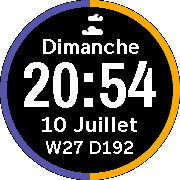
FacesZ Sleep Even the most zealous people need rest. So does your pebble. It preserves the battery life by only displaying and updating the time when the pebble is flicked. Features: - Shake to Update - Great on Battery Life - Shows Clouds when connected - Battery Ring - 100%-60%: Green - 50%: Yellow - 40-30%: Maroon - less than 20%: Red
 16
16Zee's Watch
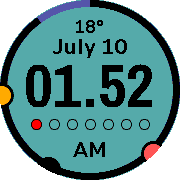
FacesAn office worker by day; an urban warrior by night. Features: - Offline Configuration via Clay - Current Temperature for Current location - Optional Fixed Location Coordinates - Rain Check: detect chance of rain for the hour is 50% or greater - Week day is in analogue mode. First dot filled is Sunday (red). - 12hr Format: Shows AM/PM - 24hr Format: Shows Week Number and Day of Year - Show Today's Steps - 24-Hour Analogue - Sunrise and Sunset markers (Yellow is Sunrise; Orange is Sunset) - Battery Ring - 100%-60%: Black - 50%: Yellow - 40-30%: Maroon - less than or equal to 20%: Red - Bluetooth Indicator - Vibrate on Reconnect and Disconnect - Background Colour turns white when Disconnected - Languages Supported: English, French, Spanish, Italian, Portuguese, Deutsch. NOTE: The watchface updates once per minute. Please wait up to 1-2 minutes for the weather to appear. NOTE: Language depends on your system defaults.
 16
16SleepyTime
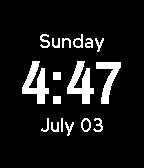
FacesInspired by Nightface. Only show the time when you need it. Shake to view the current time and date, otherwise the watch sleeps (saving battery).