Victor
The Pebble Appstore changes based on your specific choices. Use the options below to look around!
Pebble smartwatch
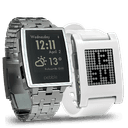 Pebble Original
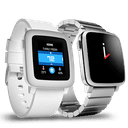 Pebble Time
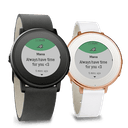 Pebble Time Round
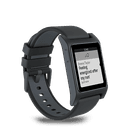 Pebble 2
 Pebble 2 Duo
 Pebble Time 2
 Pebble Round 2
 40
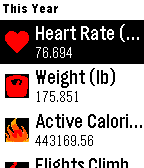
40Health DashBoard for Pebble- heart rate,
Health & FitnessSync health data from iPhone to Pebble and show the health data on Pebble smartwatch. This app is the health data bridge between your device and Pebble Smartwatch. The app read the health data from your device and sync & transfer the data to Pebble. You could check your health data with a glance to your wrist pebble. Please be noticed that there must have health data in your native health app in your iOS device. There health data stored in your device may come from anywhere. Currently this app support following health data: + Heart rate + Body weight + Active Energy burned + Flights climbed + Steps + Walking and Running Distance + Cyclying distance
 43
43World Clocks 500+
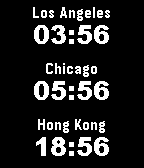
DailyCheck More than 500 world cities clock pre-configured in your Pebble! Configure 1 or several world clock in your customized watch face. Or send selected work clocks to pebble app so that you could easily check the time of different cities in the world.
 69
69World Clocks 500+ time watchfaces, timez
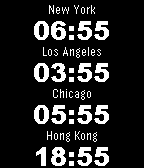
FacesConfigure any cities time in the world! More than 500 world cities clock pre-configured in your Pebble! Configure 1 or several world clock in your customized watch face. Or send selected work clocks to pebble app so that you could easily check the time of different cities in the world.
 549
549Camera Video Controller remotely: full r
RemotesSee what your iPhone screen have in your Pebble. Control your iPhone Camera with your Pebble. Make your iPhone and Pebble more powerful with this app! Better utilize your iPhone and Pebble! High speed video transmission with new image compression algorithm to Quick & Easy Control the camera of your iPhone/iPod touch’s with your pebble smartwatch on your wrist. Real time video transmitted.
 401
401GPS & Map & Navigator for pebble: speed,
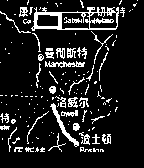
Tools & UtilitiesTurn your Pebble SmartWatch into a mini Wrist Navigator with information of Maps & Directions & Speeds & Latitude & Windspeed & Temperature. Perfect companion for your outdoor exercise/activity. Features: > Navigator the map > Zoom level controller > Moving Direction > Moving Speed > Show Latitude > Show Wind speed & Temperature