Tou
The Pebble Appstore changes based on your specific choices. Use the options below to look around!
Pebble smartwatch
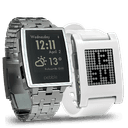 Pebble Original
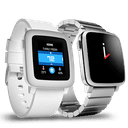 Pebble Time
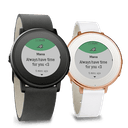 Pebble Time Round
 Pebble 2
 Pebble 2 Duo
 Pebble Time 2
 Pebble Round 2
 8
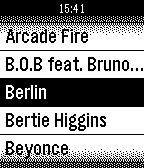
8Music for Pebble - Device Music Remote C
RemotesFull featured Remote Control your iPhone’s music with your pebble smart watch. Features: >Control volume, play, pause, back,shuffle >Album Navigator >Large Album cover view >playlist navigator >View album art in pebble >Navigate music library >Realtime show the music play progress with time played and left in a slider bar >Show the volume in a slider bar Please install the 'Pebble Music' in pebble smart watch side to work with this app in iPhone side. Tap 'Install Pebble' in this app in iPhone side could start the installation.
 5
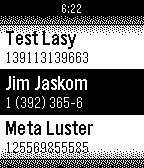
5Contact & Address Book for Pebble
DailySync your iPhone, iPad and iPod touch’ contacts & address book to your Pebble smartwatch, and lock these contacts information in Pebble in safe. Enable your Pebble as a address book to store your favorite contacts’s information, that you could check these contacts anywhere anytime on your wrists. Features: 1. Show all the contacts information, enable contacts selections to be sync to Pebble. 2. Sort the contacts by name or by phone number in your Pebble SmartWatch side. 3. Lock your contacts information with passcode combination in Pebble. Keep your secret in safe in Pebble.
 7
7Camera Video for Pebble SmartWatch
RemotesQuick & Easy Remote Control the camera of your iPhone/iPad/iPod touch’s with your pebble smartwatch on your wrist. Feature: > Toggle between rear and front camera > Flash light mode on/off/auto switch > Fast/quick photo taken > Preview your photo with up to 40 fpm (144*168) size. > Take self-timed pictures.
 11
11Find My Phone
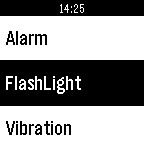
Tools & UtilitiesThis app turn Your Pebble smartwatch into a tool to assist you at finding your phone or getting you out of weird situations. The Pebble smart watch could - Remotely trigger the ringtone of iPhone, - Remotely turn on the flashlight of iPhone, - Remotely let iPhone vibrations, Quick & Easy to search & locate your iPhone.
 17
17Emoji Emoticons Keyboard Art animated
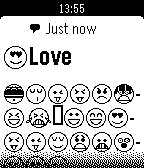
DailyEmoji Support to display Emoticons in Pebble and Pebble Steel.