 29
29USA DualTime
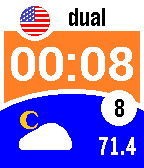
FacesThis watchface is for Pebblers in the USA and Canada only. (Pebblers in Europe, please check out EU DualTime). Besides the local time, date and weather (temperature in Fahrenheit or Celsius), this watchface also shows your home time as a dual time when you travel to a different timezone. And no hassle, this watchface auto adjusts to summer and wintertime. Never call home at an awkward moment again! Shake your wrist to show seconds in stead of the date (see settings). Futhermore an attention signal and icon, when bluetooth connection with your phone is lost. The background colour of the local time indicates the battery level. Up to and above 30% green, up to 20% orange and less than 20% red. After downloading this watchface, go to settings (in the Pebble app on your phone) to set your home timezone and your temperature preference. If you like it, heart it ;-)
 24
24EU DualTime
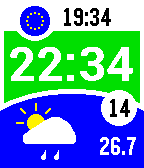
FacesThis watchface is for Pebblers in Europe only. (Pebblers in the USA and Canada, please check out USA DualTime). Besides the local time, date and weather (temperature in Celsius or Fahrenheit), this watchface also shows the time in your home country as a dual time when you travel to a different timezone. And no hassle, this watchface auto adjusts to summer and wintertime. A must-have for the holidays. Never call home at an awkward moment again! Shake your wrist to show seconds in stead of the date (see settings). Futhermore an attention signal and icon, when bluetooth connection with your phone is lost. The background colour of the local time indicates the battery level. Up to and above 30% green, up to 20% orange and less than 20% red. After downloading this watchface, go to settings (in the Pebble app on your phone) to set your home country and your temperature preference (Celsius or Fahrenheit). If you like it, heart it ;-)
 33
33FitnessBreakTimer
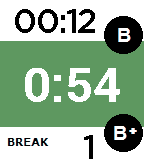
Health & FitnessThis watchapp is an easy timer for the breaks between your fitness work-out sets. After 60, 90 or 120 seconds (whichever you choose) you will be notified by a gentle vibration on your wrist that it's time to hit the weights again. Don't loose track of the number of breaks you've had on any machine ever again. Click the up button for your first break and the down button for every next break. By clicking the up button, you will reset the break counter back to 1. Change the duration of the break with the select button. Your last choice will be remembered, even after you close and re-open the app. Enjoy your work-outs and relax. This app will do the counting for you! If you like it, heart it ;-)