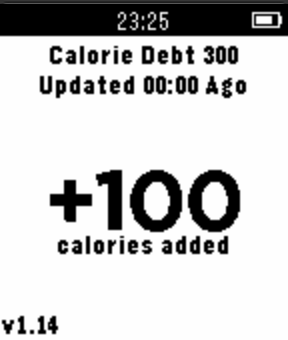
CalorieTimer turns Calorie counting upside-down! Instead of counting the number of Calories you consume in a day, the CalorieTimer counts down the amount of time until you can next eat based on any Calories you input.

You simply press the UP button for each 100 Calories you consume, and this adds a given amount of time to the timer, which counts down to zero letting you know when you have used up those calories.

The magic is that it does not matter if you reach zero every single day, or if you only reach zero once in a month or ONCE A YEAR!, it is the exact same number of calories consumed up to that point, giving you the same results!

Now counts NEGATIVE calorie debt to track your overall deficit! (optional and configurable).

*UPDATE* : 20-05-2015 : v1.15 - added negative calorie debt feature (configurable).

*UPDATE* : 03-05-2015 : v1.14 - added feature to allow configuration of calorie increment amount per button-press (100 calories is default).


Usage;

1. pressing UP or DOWN will add or subtract 100 calories from your timer.

2. pressing the MIDDLE button will allow you to configure the amount of target calories per day (default 1800).

3. strongly suggested that you add this as a quick-launch for ease of use.