 124
124Chordinator
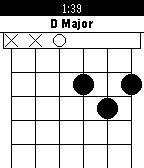
Tools & UtilitiesDisplays guitar chord finger positions. Now shows chords for ukulele and piano too! This data in this app was found by searching Google for chords. The chords may be entirely wrong. If you find an error, email me or create an issue on GitHub. Inversions may have been used. (Usually to make chords fit on the Pebble's screen.) Forked on GitHub from andrewroycarter/Chordinator.
 25
25TextWatch24
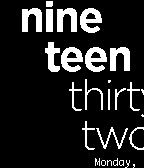
FacesDisplays the time like the default text watch, but in 24 hour time. Has options for showing the date and the display for a leading zero in the minutes. " oh " or " o' ". The watchface animates a slide out and slide in when the time changes.
 6
6Sine Wave
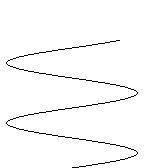
FacesTo read: The number of nodes is the number of hours. At one o'clock, there is only half a cycle showing. The number of minutes is shown by looking at the top end of the wave. The antinodes are 30 minutes. Zero minutes is at the most recent node. 60 minutes is at the next node that isn't shown yet. Example: The first picture is showing about 4:20.
 0
0Antichamber
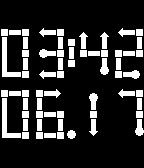
FacesA Pebble watchface inspired by the map in the amazing game, Antichamber.
 30
30System Info
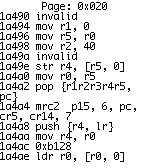
Tools & UtilitiesHexeditor and Disassembler for your watch. This is a DANGEROUS tool, not a toy. Be careful with it. Misuse could brick your Pebble. Some areas of memory are not allowed to be read. If you try, the app will crash. Trying to read protected memory should not harm your Pebble, but still be careful. On the edit screen, up and down modify the selected nibble and select moves to the next. Long press select to save. On the dissassembly view, pressing Down will scroll by the instruction size at the top of the screen, where as pressing Up will always scroll up by the minimum instruction size(2). Pressing Select will toggle showing instruction bytes.