 49
49AlarmNote
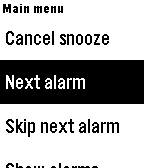
Tools & UtilitiesDaily alarms with custom notes, automatically rescheduled to the next day. Great for taking various different pills on a daily basis. (Do not rely totally on these reminders. Bugs may be present, even though I have tried to verify correct working in many situations.). Time changes are not handled and would be hard to handle. Just select "reset alarms" when changing time zones.
 226
226Backlight
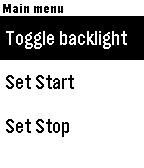
Tools & UtilitiesSimple program to automatically control your backlight. It sits in the background, allowing you to use whatever watch face you like. When you raise your arm to look at your watch, it will automatically turn on the backlight for 5 seconds. If you need to turn it back on again, just turn your wrist away and back again! The program has the ability to schedule a start and a stop time, however there is currently a bug in PebbleOS which prevents background wakeups from happening in some cases. Once this bug is fixed, I'll verify the functionality and upload a new version. Note, that PebbleOS only allows one background ("worker") task at a time. If you are using a program which counts steps, etc., and is thus running in the background, then you can't use this program at the same time. Most menu items are pretty clear, but the "Responsiveness" item isn't, so here's a description trying to describe what it does: The background worker task already reads only 10 accelerometer events per second, which is the slowest allowed. This new menu items allows the wearer to program the number of samples which are collected before the callback is called. Thus, it allows programming of the responsiveness of the backlight in 1/10th second increments. Presumably, calling the callback less often should save power at the expense of response time. You be the judge of what you want! Menu allows configuration such that light may be set to be always on while charging.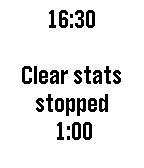 16
16Tracker
Tools & UtilitiesSimple time tracking program for up to five projects. You can edit the project names and times using "Settings" on the phone. It's ok to run a different application while a project is being tracked and it's ok to assign time to multiple projects at once. Resetting to zero can be done by holding down the middle button for 1 second. The program also tracks the bluetooth connection and displays a bluetooth symbol (with a buzz) when signal status changes.
 46
46Orbits
FacesI'm calling it "Orbits". The idea is that the planet orbits the sun every 12 hours and the little moon orbits the planet every 60 minutes. So, for example, the picture here shows the face displaying 7:00. If you configure it to not display the numbers, then you can get the numbers to display by simply a wrist snap. The battery life is displayed via a simple line along the bottom. The watch face also monitors the bluetooth connection and will buzz and display a bluetooth symbol if the connection is lost. Numbers and bluetooth monitoring is configurable.