 78
78F*CK 2016
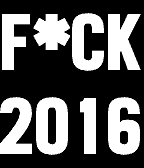
FacesF*ck 2016 Options: * F*ck This, F*ck That, Don't Panic * be explicit * colors * shake or tap to show time and date * vibration and switched colors when BT is not connected * hourly vibration
 82
82Quick Info
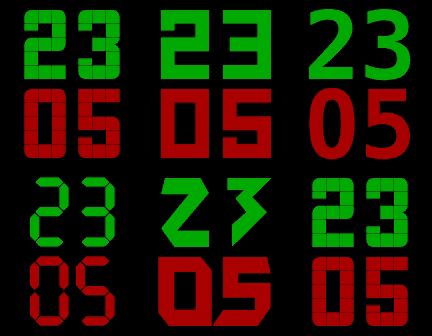
DailyA lot of nicely designed watchfaces aren't showing additional info like the day, date or watch battery level. To be able to get these infos quickly without using a different watchface you can use Quick Info tied to a quick launch button. On the press of a button, the app opens, shows the configured data for a short time and then returns to the watchface. * Available data to chose from - Day of the month - Month - Year - Battery level - Calendar week - Day of the week - Hour - Minutes - Seconds * The colors are fully customizable. * Animations can be disabled. * Leading zeroes can be hidden. * Different font options to match your style. If you like a specific font added and it's free to use, feel free to contact me.
 84
84Cut/up+
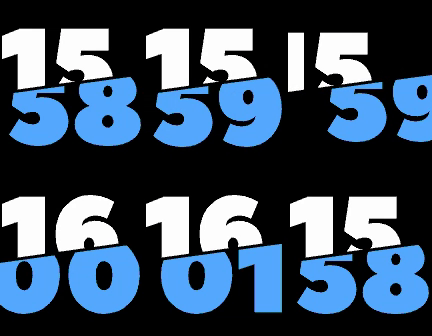
DailyCut/up+ is a complementary watchapp to be used in conjunction with the Cut/up watchface, which has been created as response to a Reddit request made by /u/stegosaurusflex1 who conceived the "cutting edge" design. One deficit of the clean design is that the watchface only shows the time. To remedy this I have created Cut/up+ to show additional data. You can tie Cut/up+ to a quick launch button and configure it to look exactly like the watchface. If you press the quick launch you will get a short glimpse of the data you selected and then return to the watchface. Of course the watchapp can also be used without Cut/up if you have another watchface that is missing some data you want to see at the quick press of a button. For a generic looking version check out my other app "Quick Info". * Available data to chose from - Day of the month - Month - Year - Battery level - Calendar week - Day of the week * All colors are fully customizable (backgrounds, number colors, number borders, cutting line and cutting line borders). * The cutting line doubles as a Bluetooth connection status indicator. * Animations can be disabled. * Leading zeroes can be hidden. The font is called "Peace Sans", designed by Sergey Ryadovoy. Please remember to give the Watchapp a "heart" if you like it. Thanks!
 611
611Cut/up
FacesCut/up has been created as response to a Reddit request made by /u/stegosaurusflex1 who conceived the "cutting edge" design. The font is called "Peace Sans", designed by Sergey Ryadovoy. If you want to be able to see more data in the same design, checkout the complementary watchapp: Cut/up+ * All colors are fully customizable (backgrounds, number colors, number borders, cutting line and cutting line borders). * The cutting line doubles as a Bluetooth connection status indicator. * Vibrations on Bluetooth connection loss and reconnection. * Animations can be disabled. * Leading zeroes can be hidden. * Hourly vibration can be enabled. Shoutout to Christian Reinbacher who made a watchface based on the same design in parallel. We both liked the design so much that we decided to publish both versions. Please remember to give the Watchface a "heart" if you like it. Thanks!
 6.3K
6.3KSlides of Time
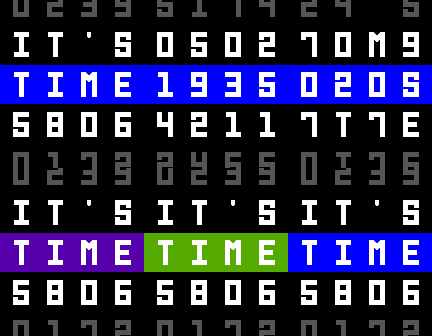
FacesInspired by the Enigma Watchface shown during the Pebble Time Kickstarter campaign, I created my own version and added some twists of my own and lots of customization options. Works on Pebbles with color and monochrome displays. All credit for the original design to the designer and the developer of the Enigma Watchface, Alex Kirov and Neal Patel. Configurable options: * Font size * Highlight style * Invert the screen * Five lines of data * Splash screen * Choose from: - Time (local and custom time zones) - Date - Random digits - Temperature (provided by OpenWeatherMap.org) - Watch battery level - Calendar week - Splash screen string - Pebble Appstore Hearts (provided by PblWeb.com) - Seconds * Limit animations to conserve battery life * Animation speed and style * Tapping effects: Scramble, Display help, Animations, Show splash screen * Display help permanently * Time and Date format * Temperature unit * Fixed weather location or GPS * Temperature update intervals * Bluetooth connection loss and reconnection alert * Low battery level alert * Hourly vibration * No vibration while charging * No vibration/animation schedule * Different vibration patterns Please contact me for bug reports, questions or feature requests. Please remember to "heart" the Watchface if you like it. Thanks!
 2K
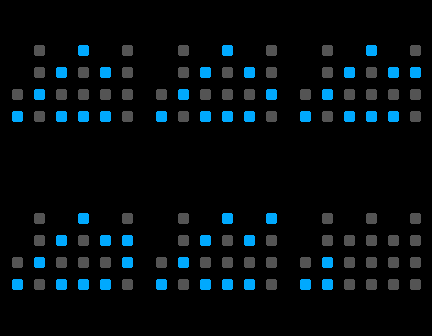
2KBCD minimalist (binary watch)
FacesA stylish minimalistic binary Watchface that displays the current time and date in BCD (binary coded decimal) or true binary format. The look is inspired by the BCD clock I have in my living room. Works on square and round Pebbles with color and monochrome displays. The configuration page shows a live preview of the current settings. How to read BCD format: * Each column represents one digit * Two columns each for hours, minutes and seconds * The rows have the values 1, 2, 4, 8 (from bottom to top) * Add the values of all "on" bits in a column to get the digit Configurable options: * All colors * Different styles for "off" bits, with or without borders * Display of seconds, also only in certain intervals * Display of date * Display in true binary format instead of BCD * Display help after tapping the watch, with or without decoration * Bluetooth connection loss/reconnection alert (icon or color switch) * Low battery level alert * Hourly vibration How to read true binary format: * The first row represents the hours, the second are minutes and the last row shows the seconds * The columns have the values 1, 2, 4, 8, 16, 32 (from right to left) * Add the values of all "on" bits in a row to get the number Please contact me at [email protected] for bug reports, questions or feature requests. Please remember to give the Watchface a "heart" if you like it. Thanks!