 4
4Forekast
DailyGet today's Forekast events right on your wrist. Forekast is a calendar of amazing events happening worldwide, posted and voted on by an international community. Music festivals, rocket launches, sporting events and more.
 14
14Daylight
FacesA Pebble watch face that shows the daylight as it streaks across the globe. Land masses can be shown or hidden by accessing the settings in the Pebble application.
 4
4Big Blocks
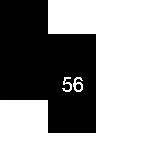
FacesA Pebble face where large blocks build up around the edge of the watch as the hours tick along. Colors can be inverted, and display of the full time, hour, or minute can be set by accessing the settings in the Pebble application.
 8
8Flying Blind
FacesA Pebble watch face that vibrates the time. Optionally vibrates every half or quarter-hour. Shake your wrist to briefly see the time. Colors can be inverted and vibration intervals can be set by accessing the settings in the Pebble application.
 12
12Date Countdown
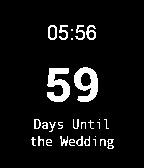
FacesA Pebble watch app for counting down the number of days until an event. Colors can be inverted and the event date, time, and label can be set by accessing the settings in the Pebble application.
 8
8Extra Normal
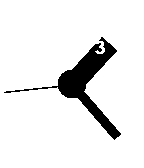
FacesA Pebble watch face based on the Extra Normal watch face. Hour hands turn to reveal the current time as it passes overhead. Colors can be inverted by accessing the settings in the Pebble application.
 14
14Mask
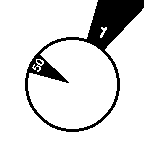
FacesA Pebble watch face based on the Mask watch by Filip Slovacek. Each triangle turns to reveal the current time; hour on the outer, minute on the inner. The time is updated in 5-minute increments. Colors can be inverted by accessing the settings in the Pebble application.