 69
69MapTock
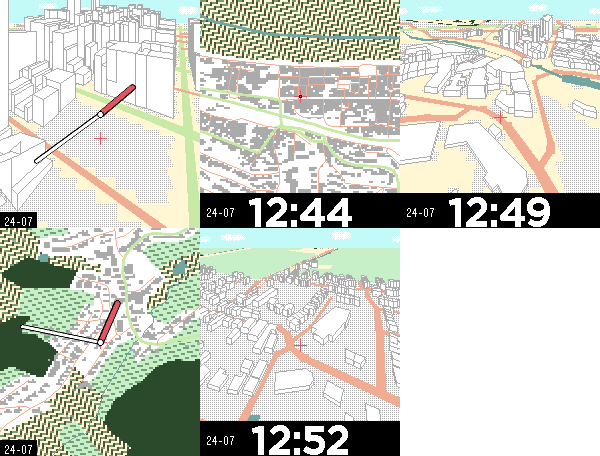
Faces# MapTock — A Live Street Map on Your Wrist MapTock turns your Pebble into a miniature street map. It downloads real OpenStreetMap data for your surroundings and renders it in pseudo-3D. **Features:** - Live map of your actual location (OpenStreetMap data) - Pseudo-3D view with buildings, roads, and water - Classic top-down view - Digital clock bar or floating analog clock — your pick - Clock with time, date, and temperature - Map tiles cached on-watch; refreshes only when you've moved - Shake watch to refresh the map - Enable High Contrast for better readability in low light - Uses compass to determine up --- Map data © OpenStreetMap contributors (ODbL). Tiles: OpenFreeMap / OpenMapTiles. Fallbacks: ohsome API (HeiGIT), Overpass API.
 72
72CabRideTock
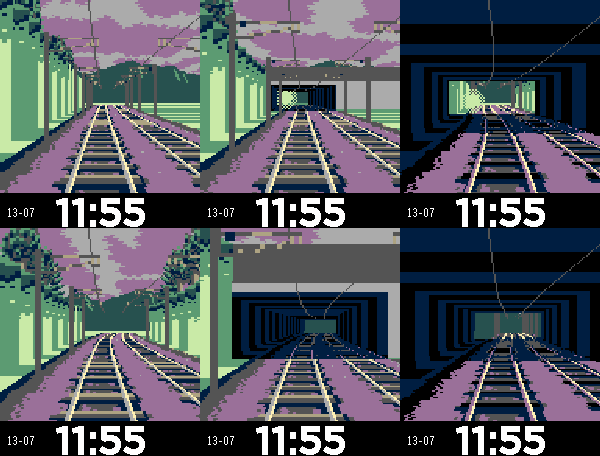
Faces# CabRideTock — A Train Ride on Your Wrist Ride the cab of a train through ever-changing landscapes. Watch tunnels, stations, and scenery roll by as day shifts to dusk to night. The world ticks forward every minute — tap to go faster. **Features:** - Procedural track generation with stations, tunnels, and bridges - Day/night cycle with palette shifts (dawn, day, dusk, night) - Terrain, city skylines, and trackside scenery (trees, buildings, signals) - Oncoming trains on double-track sections - Tap for turbo speed boost - Clock band with time, date, temperature. --- Based on 'Cab Ride' by Powersaurus (CC BY-NC-SA 4.0). https://www.lexaloffle.com/bbs/?tid=41332
 15
15CheckmateTock
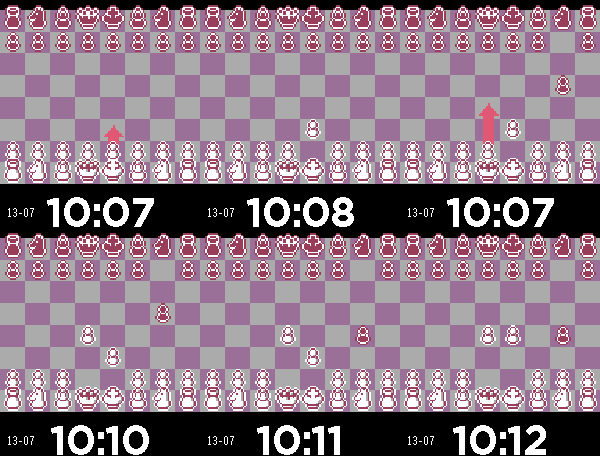
Faces# CheckmateTock — Chess on Your Wrist An auto-playing chess game as a watchface. Two AI opponents play a full game of chess, one move per minute. Watch the board evolve throughout your day. **Features:** - Full chess engine playing auto-games - Animated piece movement - Arrow indicator for the pending move - Endgame detection with result display - Tap to advance to the next move instantly - Tap to restart after checkmate - Supports both digital and analog clock layouts - Clock band with time, date, temperature --- Based on 'Pico Checkmate' by Krystman (CC BY-NC-SA 4.0). https://www.lexaloffle.com/bbs/?pid=52226#p
 22
22KanjiTock
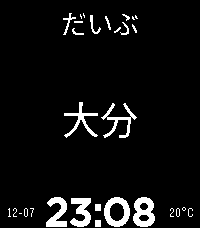
Faces# KanjiTock — Discover Japanese, Minute by Minute A different kanji or vocabulary word every minute. Improve your japanese as you check the time throughout your day. **Features:** - 2,000+ kanji + 8,000+ vocabulary words from JLPT N5-N1 - Furigana readings above each character (toggleable) - Shake to reveal meanings (on'yomi, kun'yomi, English) - Select which JLPT levels to include via settings - Vocab mode for compound words and common expressions - Analog and digital clock layouts - Dark mode support --- Data sourced from KANJIDIC (CC-BY-SA).
 19
19XKCDTock
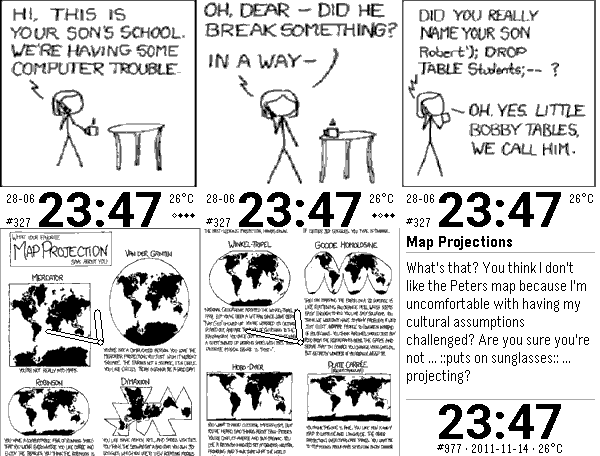
FacesXKCDTock shows a random xkcd comic on your Pebble Time 2 and swaps it for another every so often. The comics stream from xkcd.com. Multi-panel comics are split so each panel fills the screen. Tap to step through them, then once more for the alt (hover) text — the extra joke Randall hides beneath each comic. Tap past it to flip back to the clock. You set it up from the phone: • Random, latest, in order, or one specific comic pinned • How often it changes — a minute to an hour (less often uses less battery) • Tap to advance, play through on a tap, or auto-cycle the panels • Reserved-band or analog clock; clock size, 12- or 24-hour, date, and temperature (°C/°F) • Setting for Skip oversized comics that shrink to nothing on a watch • Pause new comics during quiet time or while you are asleep The phone does the fetching, decoding and dithering; the watch just shows the result. If your phone is out of range it keeps the last comic until it's back. xkcd is written and drawn by Randall Munroe and licensed CC BY-NC 2.5 — free to share non-commercially as long as you say where it's from. This is a free, fan-made viewer; every comic shows its number and title so you always know which one it is. If you enjoy it, support Randall at xkcd.com and pick up his books (What If?, How To). Pebble Time 2 only. Comics by Randall Munroe, from xkcd.com (CC BY-NC 2.5).
 23
23BookTock
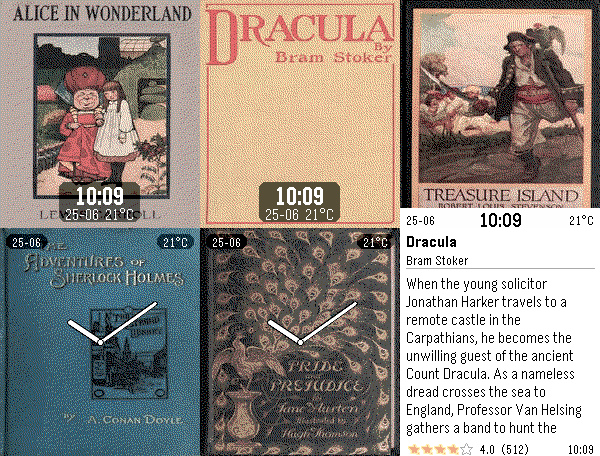
FacesBookTock shows a book cover on your Pebble Time 2 and swaps it for another one every so often. The covers come from Open Library, which has covers for old and new books. Tap the watch to flip the cover over and read the blurb and rating. Tap again to page through, and once more to flip back. You set it up from the phone: - A subject, language, and minimum rating, so you get books you'd actually pick up - How often the cover changes — anywhere from a minute to an hour (less often uses less battery) - Five clock sizes, stacked or split, 12- or 24-hour - A light or dark blurb card - How the cover sits on screen: fill, matched border, bars, or stretched The phone does the fetching, decoding and dithering; the watch just shows the result. If your phone is out of range it keeps the last cover until it's back. Open Library is a free, non-profit project and runs on donations. If you get some use out of BookTock, consider giving them a hand: www.archive.org/donate?platform=ol&origin=booktock Pebble Time 2 only. Covers and book data from Open Library (Internet Archive).