 6
6Decompress Dive Log
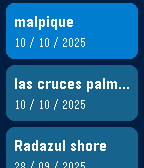
DailyA simple dive log on your watch. Syncs with PADI Logbook, requires an account with PADI previous to any use. Use voice dictation and intuitive menus to record easy to forget data just as you hop on the boat or arrive at the dive center, instead of fiddling with your phone! I've found over the years of diving I kept forgetting key details (dive site, bottle size, nitrogen mix, etc...) after coming out of the water and was not recording this data anywhere. Dictate what you saw, how the dive went and anything you might want to remember later in the notes for the dive. App shows the last 5 dives in your account, this is also useful as I never remember which weights were good for different oceans/seas, and which combination of bottle/weight was best. Click on a dive to see the details. Last menu item to add a new dive, will prompt for key details: - Dive Title - Dive Site - Type of Dive - Max Depth - Bottom time - Notes: dictate using microphone - Water Type - Weather - Air Temp/Surface temp/Bottom temp - Visibility - Weights used - Start/end pressure Then you can check all details later (and edit them) on the PADI Logbook app on your phone or on the PADI website.
 13
13Slope Buddy
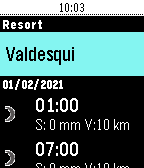
Health & FitnessSlope Buddy tells you what you need to know before heading out to ski. See the weather 1-7 days ahead, see how much fresh snow there'll be at the top of the resort, see which lifts are open and which ones are closed, get notified of storms and bad conditions via timeline.
 95
95GoPro Remote
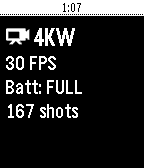
RemotesA GoPro Remote for Pebble. Works with: - (Partially) GoPro HERO3 and HERO3+ - GoPro HERO4 Black/Silver - GoPro HERO4 Session - GoPro HERO5 Black/Session - GoPro HERO+ and HERO+ LCD - GoPro HERO6 - GoPro HERO7 - GoPro MAX - GoPro FUSION - GoPro HERO8 Press UP to change modes, press Center to start/stop video/timelapse or take a photo, press Down for quick presets, long-press Up for HiLight Tag. Needs a GoPro Wifi connection to the phone! For GoPro HERO4 / HERO5 Session / GoPro HERO8 / MAX: Make sure you first open the GoPro App and get a live preview, this step is necessary for H4 Session and H5 Session. Then close the GoPro app and open GoProRemote app on Pebble. (HERO8/MAX: Leave the app open to ensure WiFi connection) Tutorial/write-up: https://medium.com/@konrad_it/gopro-remote-for-pebble-8661dabf0897 App icon by PotatoFi
 13
13Notebble
Tools & UtilitiesPush text from your phone to Pebble!
 25
25Pi-Hole
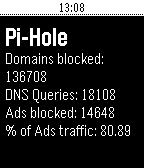
Tools & UtilitiesMonitor your Pi-Hole stats! Get Pi-Hole here: http://pi-hole.net
 10
10Shutter
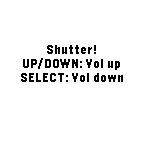
RemotesFOR ROOTED DEVICES ONLY. This app allows you to take a photo on your Android phone It emulates touchscreen press on the app's shutter button and takes a picture/starts or stops a video. Android companion app needed.
 6
6pInTheAM - TaskWarrior Client
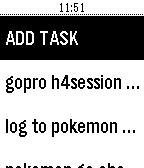
Tools & UtilitiespInTheAM is a Taskwarrior client for Pebble watches. You need a active Inthe.AM account synced with Taskwarrior. Features: - View all tasks - Set task complete, start task, stop task and delete task - View task details (due, project...) - Add task via voice - Timeline support
 76
76Pokemon Go Check
Tools & UtilitiesGet the Pokemon Go server status from your watch!
 449
449Todoist Mini
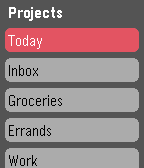
DailyUnofficial Todoist app for Pebble Time. Now maintained by Konrad Iturbe: https://github.com/KonradIT/todoist-pebble Todoist is a cloud based task management and todo list tool available on a wide variety of platforms. Works great for everything from simple shopping lists to project management. If you've just been looking for a basic todo list app on the pebble to keep yourself organized, todoist should work great! If you are not an existing user just sign up for an account at http://www.todoist.com. After that you'll be able to easily add/remove items and projects from your phone or PC and view them on your watch! Features: - Log in to your account via google or standard Todoist login. - Scrolling Text for items that overflow the width of the screen, the scroll speed is customizable via the config screen. - Completely customizable colors! Create your own style of interface using any of Pebble's 64 supported colors. - View and complete items from any of your Todoist projects. - Supports indentation, due dates, and completion of recurring tasks. - Add new items to your projects using the microphone on devices that support it.