 53
53Fallout Sleep
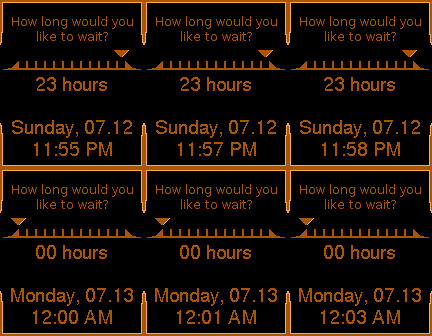
FacesThis face mimics the HUD when you want to sleep/wait in Fallout. The meter progresses left to right displaying the hour in 24hr time. The second line displays today's date in the format: Day of Week, 2 digit month.2 digit day of month. The last line displays the current time in 12hr format.
 13
13BatSignals
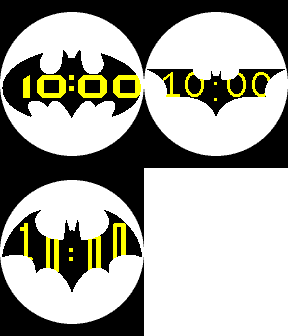
FacesBatSignals is a 3 face collection allowing you to choose which bat signal to shine in the darkness. Each bat signal has a font close to the font used in conjunction with it. Using the signal as an overlay the numbers are partially obscured to give it a projected type look to the signal. The default is Batman Forever, however if you go into the settings you can choose between Batman Forever, Dark Knight, and Arkham. Which batsignal will you choose? Time is kept in 12hr. More options later is possible. More signals? 24hr time...bluetooth, battery indications?
 31
31Aurebesh (Reborn)
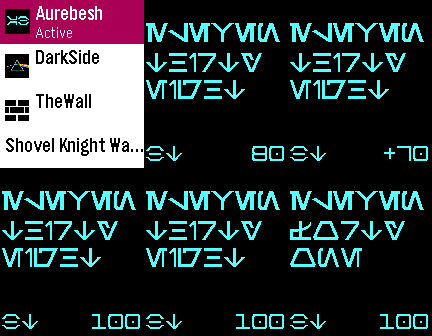
FacesAurebesh is an alphabet from Star Wars and was used for a watchface on 1.x SDK. (https://github.com/chadrien/pebble-watchface-text-watch-aurebesh) Now it has been reborn into SDK 2.x for OG Pebble and a colored version for SDK 3.x on Pebble Time. Now included is a Bluetooth indicator in the lower left corner (letters "BT" in Aurebesh) that changes to "NO" on OG Pebble when disconnected but just changes to red on Pebble Time when disconnected. In lower left corner is Pebble battery indicator in numbers (shows as "+"% when charging). Enjoy!
 29
29TheWall
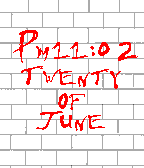
FacesInspired by Pink Floyd's album The Wall. Time is displayed in 12hr format with AM or PM displayed. Date and month is also displayed.
 54
54DarkSide
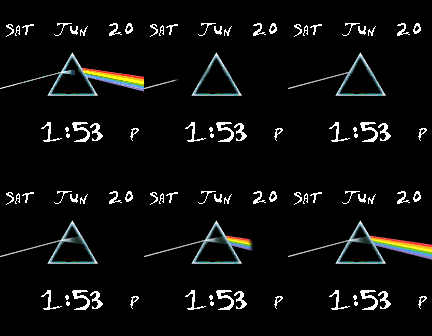
FacesDark Side of the Moon picture animated. The time is in 12hr format with an A or a P to denote AM or PM.
 17
17Pebboard
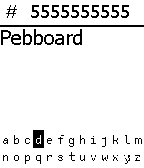
Daily**Must download companion app and open it at least once to actually send SMS** Using a custom made keyboard for Pebble, you can enter a phone number first and then a message. Long press select button to send the message to the number via the companion application. The companion application explains what each button does. When you first open up Pebboard you must first enter the 9 digit phone number and then you message. Entering characters in the phone number line will not get sent. The keyboard is open source so feel free to use it just please credit me. This started as just a modified keyboard based on Tertiary Text by vgmoose, but went ahead and turned it into a full SMS application.
 28
28Type it Out
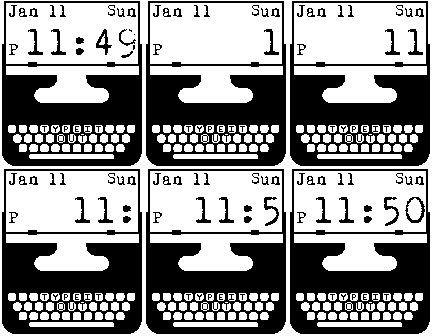
FacesA simple watchface that has a feel of a typewriter typing out the time. 12 hr format, abbreviated Month, day of the month, and the abbreviated day of the week are also displayed.
 31
31Stitch in Time
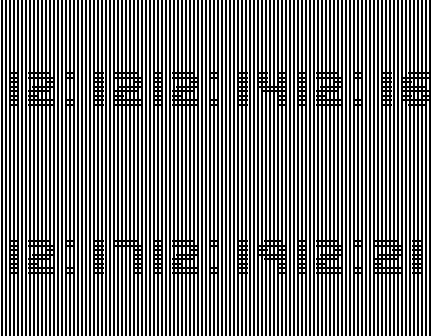
FacesThe background has black and white vertical lines while the font for the clock is made of black and white horizontal lines. The intersection of the time and the background gives a sort of "stitch" feeling. The time is only in 12 hr format for this release. If the background appears gray in the picture click on source URL to see a better gif.
 8
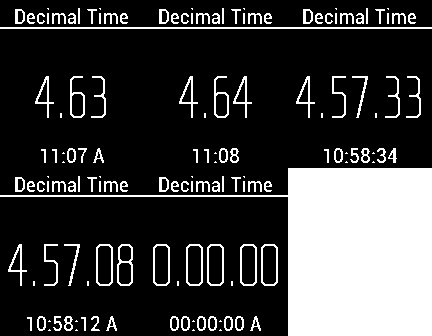
8Decimal.Time
FacesUsed during the French Revolution, Decimal time has 10 hours in a day, 100 minutes in an hour, and 100 seconds per minute. Since decimal time has no practical use other than being an oddity, in the settings, you can have the real time shown in 12 or 24 hr format. Also, in settings you can turn seconds off. Also, you will notice that the decimal time seconds often seem to skip. That is because one decimal second is actually a fraction (0.864) of a normal second and the clock is only updated every normal second.