 28
28Modern New - Legacy
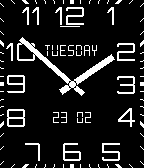
FacesLighter & limited version of Modern New for original Pebble & Pebble Steel only.
 381
381Modern New
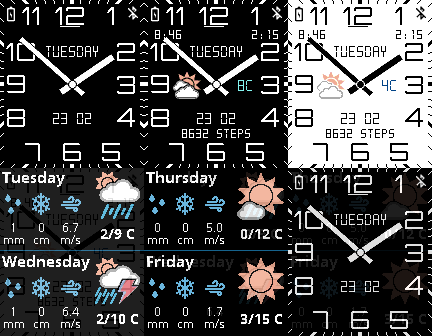
FacesModernNew. Optimized for power saving. Localizations and many more can be configured in Settings including Yr.no/WU weather providers, Forecast, Health and so. Basic watchface is for free, but Settings is a paid feature. You can read more about it in Settings. Pebble HEALTH: When watch detect that you're sleeping, watchface decrease display update cycle & weather update to conserve more battery energy. ENABLE it in app Settings, it is DISABLED by default. Please READ the WEBSITE LINK down below for more info and more detailed description of watchface and all functions.
 27
27Yr.no
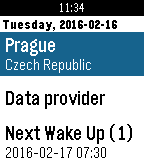
DailyFirst Weather application which wake up with you. Simple and easy weather application using weather data from Norwegian Meteorological Institute and Norwegian Broadcasting Corporation - Yr.no. Support Celsius / Fahrenheit. Not using GPS to conserve phone battery power, only predefined places up to 3.
 15
15Denon Remote
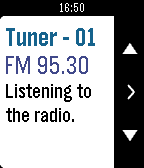
RemotesThis remote application for you Pebble or Pebble Time watch can control your DENON (and Marantz) receiver. Just connect your phone to the same (WiFi) network as your receiver and you will loose your regular remote shortly. Should be able to control any receiver made by 2011 and later. Database of commands can be easily customized for this application. More info about Fast Switch and list of supported models you can find here https://goo.gl/Kspw9f * Read VERSION INFORMATION below to know what is new in Pebble application. * Ensure the IP CONTROL is set on 'Always On' and FRIENDLY NAME is set to default value under NETWORK settings section of your receiver. * IP Address of receiver can be found when press SETUP button on your regular remote and navigate to Network > Information > IP Address.