The Pebble Appstore changes based on your specific choices. Use the options below to look around!
Pebble Original
Pebble Time
Pebble Time Round
Pebble 2
Pebble 2 Duo
Pebble Time 2
Pebble Round 2
Use the Companion App on your phone to setup quick actions and menus, then use your Pebble Watch to do all these things: - Make phone call to your friends and family with single click on your Watch - Take photos - Record audio - Change Music/Ring/Notification Volume (Android) - Send SMS (Android ,need config phone number and message) - Make phone call (Android, need config phone number) - Vibrate - Toggle flashlight - Play phone's default ringtone and notification sound(Android) ( Companion App is required to setup actions and menus to make this Watchapp works, available on iOS and Android )

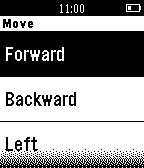
(iOS version live on Jan 29, you can search 'mip' to find it if the Companion url does not work.) Control your MiP Robot with your Pebble Watch, make your MiP Robot move around and change color. iOS Companion App is required to work with this watchapp. You can find more about MiP Robot at www.meetmip.com

Control your Sphero Robot with your Pebble Watch, make your Sphero move around and change color, also you can make it quickly go to sleep. Android Companion App is available on Google Play. ( iOS Companion App can't release since Sphero don't accept new applications ) This App and developer are not associated with Orbotix, Inc.
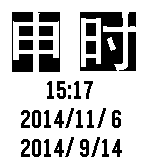
Show Chinese Ancient Time and Lunar date.

An simple compass show with date and time.

Use this tool to control your phone to : * Take photos * Record audio * Change Music/Ring/Notification Volume (Android) * Send SMS (Android ,need config phone number and message) * Make phone call (Android, need config phone number) * Vibrate * Toggle flashlight * Play phone's default ringtone and notification sound(Android)