 71
71World Clock
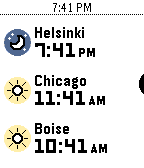
Tools & UtilitiesWhat's the current time in Helsinki, Boise, and Redwood City? When it's 4 PM in Amsterdam, what time will it be Sydney? Instantly answer questions like these right on your wrist with World Clock! With World Clock, you can choose up to 8 timezones to display at your wrist. You can also use Time Travel to scrub forward and backwards in 30-minute increments, so you can compare different timezones. To use it, open the Settings app on your phone and select cities to add to the list. World Clock will automatically populate the name field with the name of the city, but you can change it to whatever you like. You can also quickly enable and disable timezones, too. Time offsets are calculated by the phone, and synchronized to the watch. The watch caches all of the cities and time offsets, so if your phone isn't nearby, you can still use World Clock. Your phone will check on all of the timezones whenever World Clock starts, just in case something like Daylight Savings Time has happened recently (and you'll see a small "X" if the watch wasn't able to sync with the phone). If you like to switch Pebbles, no problem! The timezone list is saved on the phone, and automatically synchronized to whatever Pebble you are wearing. Pebble Round 2 support coming as soon as it arrives!
 47
47Punchclock
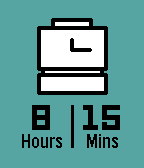
Tools & UtilitiesInstantly calculate how long you worked today with Punchclock! Input when you started, when you ended, and Punchclock calculates how many hours and minutes you worked, and pushes a pin to your past timeline for reference. Via settings on the phone, configure the default start and end times, and how much time to subtract for breaks. Settings are saved both on the phone (in case you like to switch watches), and saved to the watch (in case your phone isn't nearby).
 12
12Departures
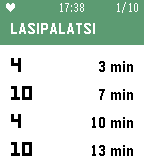
Tools & UtilitiesThis Pebble app answers the question: when does my tram or bus leave? Departures displays the next four tram and bus departures for up to 10 stops. It works in all of Finland and Estonia, including Helsinki, Tampere, Turku, and Tallinn. By default, Departures will show the ten nearest stops based on your location. Add stops to your Favorites list to always display them first, and to see their departures even when you aren't nearby. See the stop code (e.g. H1234, visible in the HSL/HRT route planner and on tram and bus stop signs) to make sure you're adding the right stop. Favorite stops are saved in the Pebble app on your phone, so your favorites will always be syncronized no matter which Pebble you decide to wear. On color Pebble watches, bus stops are colored blue, and tram stops are colored green. On Pebble Classic and Pebble Steel watches, route numbers (e.g. "1T" and "21N") are simplified to just numbers, due to font limitations on those watches. Using Departures for Finland and Estonia? Do you have feedback, or have you noticed a bug? Email me at [email protected].