 15
15WootCrap
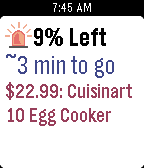
DailyAre you tired of missing out on Bags of Crap? With WootCrap, your house will soon be filled with cheap crap! During one of Woot’s famous Woot-Offs, just leave this app open on your Pebble and it will track the status of the current item, with vibrations to notify you when the item is almost sold out, is sold out, and when there’s a new item. To help you collect as much crap as possible, when a wild Bag of Crap appears, the Pebble will vibrate urgently so you don’t miss out. When you have WootCrap open and a Woot-Off is happening, the app constantly fetches updates from Woot.com to show you the current item up for sale as well as that item’s price, percent remaining, and estimated time remaining. It intelligently decides how often it should be checking the Woot site based on how much of the sale is remaining to help save their servers and save your battery life. Even when it’s not a Woot-Off day, you can use the app to see the current Woot. The watch’s up and down buttons can be used to cycle through the different Woot categories. You have the option of setting a daily notification time in the app’s settings, so that every day you can know what is the new item for sale on Woot. Additional Woot-Off Features: - Vibrates when there are 5% or less of the current item remaining, so if you’re trying to find a Bag of Crap, you have time to prepare for the next item by refreshing your login - Vibrates again when an item is sold out, and when a new item is up for sale Note: This app is not affiliated with Woot Inc.
 304
304Gallon Challenge
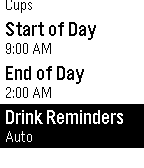
Health & FitnessChallenge yourself to drink more water for better health! Health experts recommend drinking at least a half gallon (8 cups) of water every day. Drinking enough water can help you lose weight by controlling your appetite, boosting your metabolism, and aiding your digestion. Is 8 cups a day too easy for you? Aim for a whole gallon of water! In the 30-day water challenge, you challenge yourself to drink a gallon of water every day for 30 days straight. People who have completed this challenge report a wide range of beneficial results, such as weight loss, more energy, less headaches, better mood, softer hair, and healthier looking skin. With Gallon Challenge, you can help yourself drink more water by keeping count of how much water you drink each day, and how many days in a row you've met your goal. The app also keeps track of statistics such as the total amount of water you've recorded consuming and the length of your longest streak. You can customize your drinking goal to be either a half gallon or whole gallon of water each day. The unit that you drink in can be customized to either ounces, cups, pints, or quarts. You can change the hour that your day starts at in case you have an irregular schedule. New in version 2! Set reminders to drink water. You can either choose how often you want to be reminded, or use Auto reminders to let the app evenly space them out throughout the day to keep you on track for reaching your goal. These reminders won't bother you while you sleep, because it uses your "End of Day" setting to know approximately what time you are asleep.
 58
58Power Nap
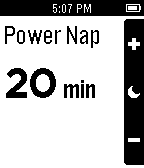
Health & FitnessTake a power nap and be awoken by gentle vibrations. Customize the nap length to fit your schedule. New in version 1.2: Alarm now stays set if you exit the app while one is set.