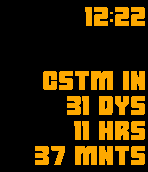
CSTM countdown is a watchface where you can set a custom countdown date. The watchface shows the current time in the top right corner. Below that, the countdown is listed.

You can set the date (day and month) and a label (max 6 chars) for the countdown timer. If you don't put in any settings, it defaults to January first (counting down to NYE).

The countdown will show days, hours and minutes left. As soon as there’s less than a day left, it’ll switch to hours, minutes and seconds. On the day itself, it will tell you to make the day count. The next day, the watchface will automatically start counting down to the same day the next year.

The watchface is optimized for square screens, but does work on a pebble round (the view changes to centered text).
 28
28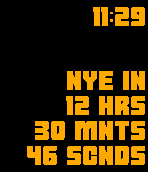 44
44