 85
85Ultra
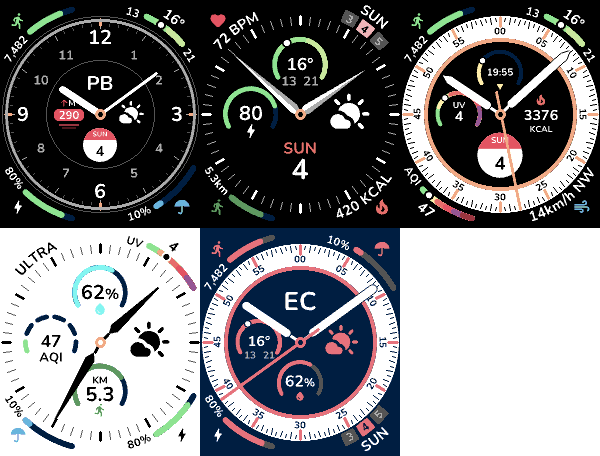
FacesAn analog watchface for Pebble with eight complications you choose yourself. Four gauges curve around the corners, four subdials sit inside the dial, and every one is yours to swap. - Eight slots, your pick. Steps, distance, heart rate, battery, calendar, temperature, rain, humidity, wind, air quality, UV index, elevation, sunrise and sunset, .beat time, current weather, your own text, or a value from any JSON API - Five color schemes. Black, White, two monochromes, or Accent: any background and accent from the watch's 64 colors. - Four rings. Default, Minimal, Sport or Chronograph. - Six hands; Line, Bar, Outline, Pointer, Sword or Dauphine hands, each in its own color. - Live preview. The settings page draws the face as you change it. - No account, no API key. Weather and air quality come from Open-Meteo], refreshed every 30 minutes.
 12
12Wristcards
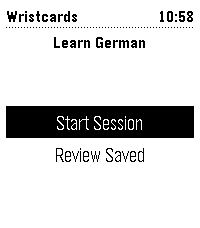
Tools & UtilitiesOne Pebble watchapp for vocabulary drills, with the deck chosen on the phone. Dutch, French, German, Italian and Spanish are ready-made; any text file of cards will do. Load the app and use settings to choose a premade deck or load your own. You can download examples a for single file or full deck (you need to self-host it).
 23
23Unpack
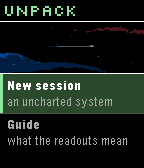
GamesA von Neumann probe game for Pebble. You arrive in an uncharted system with a seed payload and no infrastructure. Unpack yourself into power and extraction, work the bodies you find, and build what the colonists will arrive to -- factories, colony frames, and finally the orbital ring you leave through. The system keeps interrupting with decisions that have no clean answer, and the clock never stops for them. A run takes 2-4 minutes, start to departure or failure.
 17
17Bill Cipher is Watching You
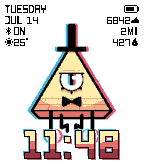
FacesA-X-O-L-O-T-L! My time has come to burn! I invoke the ancient power that I may return! Nice watchface designed to bring Bill Cipher with you everyday. Configurations: - Time Color: pick color or use the preset funny design - Modules: pick what modules you'll like to use. - Day of Week, Date, Battery, Bluetooth status, Weather, Steps, Distance, Calories, Year, Heart Rate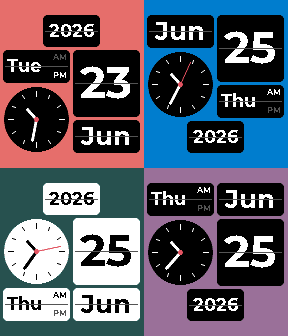 134
134Wall Flip
FacesA digital watchface based on flip clock design. Configure via the settings page. General Layout: 5 or 6 blocks. Language — translates month and weekday names. 10 Latin-script languages: English, Espanol, Portugues, Francais, Deutsch, Italiano, Nederlands, Polski, Turkce, Indonesia. Units — Metric (°C, mm) or Imperial (°F, in). Applies to the weather blocks. Show seconds hand — adds a seconds hand to the analog clock block (off by default to save battery). Flip animation — blocks flip like a split-flap when their value changes (on by default). Seam line — thin line across each block's middle for the flip-display look (on by default). Layout Banner block — full-width banner content: Year, Digital clock, Month + Day, Weekday + Day, Steps, Distance, Battery, Heart rate, Temperature, Temperature + icon, Humidity, Max/Min temp, or Precipitation. Top-left / Top-right / Bottom-left / Bottom-right block/ Top / Bottom — fill each quadrant with: Date/time: Year, Day of week, Day of month, Calendar (weekday over day), Calendar + Month (month over day), Analog clock, Digital clock (big or small), Hours (big or small), Minutes (big or small), AM/PM (side-by-side or stacked diagonal), Month Activity: Steps, Distance (small or big), Battery (small or big), Heart rate (small or big) Weather: Weather icon, Temperature (big or small), Temperature + icon, Humidity (small or big), Max/Min temp (small or big), Precipitation, UV Index, Wind Speed and Direction Big two-line blocks stack a caption over a large value: Calendar, Calendar + Month, Humidity (Hum / 47%), Battery (Batt / 82%), Heart rate (number / BPM), Distance (number / KM·M·MI). Max/Min temp (big) stacks the max over the min, with the min drawn in the accent color like the big digital clock. Hours and Minutes are shown as standalone two-digit blocks (leading zero kept). AM/PM highlights the active half in the text color and dims the other, like the weekday block. Weather Weather blocks (icon, temperature, humidity, precipitation, max/min) pull current conditions from Open-Meteo using the phone's location. Colors Face background — color behind the panels. All panels — master panel color; sets every block and the banner at once. Override any individual one afterward. Per-block panel colors — each quadrant (Top/Bottom × Left/Right) and the banner has its own color picker, so blocks can differ. Changing All panels (or applying a preset) refills them. Weekend / accent — day-of-week panel color on weekends, also used for the inactive AM/PM label.
 14
14Simple Askew
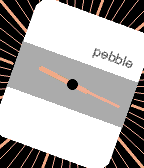
FacesA minimalist analog watchface, just a little askew. You can change the degree in settings: 0,10,15,20,25 or 30 degrees.
 14
14Dragon Radar
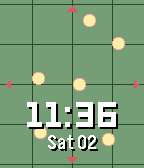
FacesA Pebble watchface inspired by Dragon Radar in Dragon Ball. Every minute the radar update showing a random position of the Dragon Balls 2 radar styles, choose one from configuration.
 21
21Void
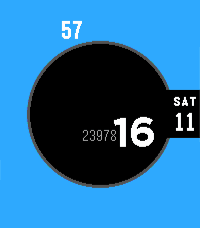
FacesA sleek and minimalist watch face made with Alloy that displays only the time, date, and steps (if active). The accent color can be customized.
 147
147Constellation - Chronomark Edition
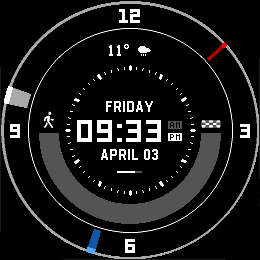
FacesTake a trip to the stars with this Starfield-inspired watchface. Chronomark Edition, just for Pebble Time Round 2 Features - Time Display: Large, easy-to-read time with day, date, and AM/PM indicators - Weather: Show current weather - Moon View: Current moon phase with sunset/sundown time - Step Tracker: Visual arc or lines display showing daily step progress with customizable goal - Battery Indicator: Real-time battery level display - Second Ticker: Optional animated second indicator (can be hidden via settings) - Splash Screen: Customizable startup logo (several options or none) Many thanks to Ithe_GuardiansI for providing the original watch references.
 46
46Walk Log
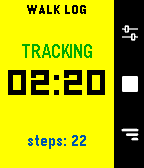
Health & FitnessWalk Log is a Pebble application that tracks the time and steps taken during your walks. Your walk history is stored in the logs view, where you can review past activities and delete entries as needed. You can also send walks to the timeline to view them in the Pebble watch's Past Timeline view. Set it and for get it: an inactivity option will automatically stop your walk after a set period of inactivity, thanks to a background worker. **Quick Use** - Open the app - Press center right button (start symbol) - Press again to end it (stop symbol) **Logs** - Press down right button - Navigate down from latest to oldest - Press center right button to open detail - Long press on center right button to delete, from list or detail page **Settings** - Press up right button - Navigate down to setting you want to change - Press center right button to change it
 50
50Half/Half
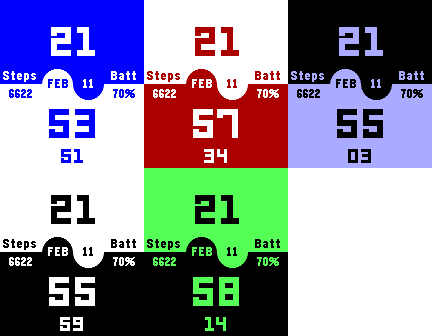
FacesA digital watchface for Pebble smartwatches with a minimalist split-screen design. Configs: - Top Color/Bottom Color - Override Text Color - Show Seconds - Show Leading Zero - Battery saving: hide seconds after a bit
 74
74Dual Arc
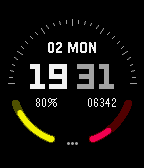
FacesA modern digital watchface combining style and functionality. Features include large split time display (hours/minutes), date with weekday, dual quarter-circle progress indicators for battery and step tracking, customizable color themes, and support for both 12 and 24-hour formats. Perfect for users who want essential information in a clean, minimalist design.
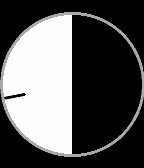 18
18Simple Binary
FacesA minimal Pebble watchface that progressively fills the screen radially based on the hour. At 00:00 the screen is completely black, gradually becoming white until 12:00, then fading back to black until 24:00.
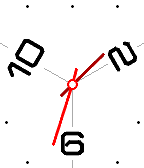 23
23Simple Trio
FacesA minimalist analog watchface for Pebble smartwatches inspired by clean, modern clock design.
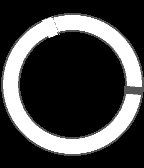 10
10Simple Eclipse
FacesA minimal Pebble watchface designed to look like an eclipse.
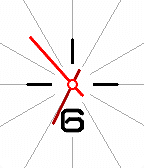 20
20Simple Enough
FacesA minimalist analog watchface for Pebble smartwatches inspired by clean, modern clock design.
 117
117Constellation - Standard Edition
FacesTake a trip to the stars with this Starfield-inspired watchface. It works best for the Pebble Time Round. Features - Time Display: Large, easy-to-read time with day, date, and AM/PM indicators - Weather: Show current weather - Moon View: Current moon phase with sunset/sundown time - Step Tracker: Visual arc or lines display showing daily step progress with customizable goal - Battery Indicator: Real-time battery level display - Second Ticker: Optional animated second indicator (can be hidden via settings) - Splash Screen: Customizable startup logo (several options or none) - Multi-Platform: Supports all Pebble watches (Aplite, Basalt, Chalk, Diorite, Emery, Flint) Many thanks to Ithe_GuardiansI for providing the original watch references.
 91
91GridSpace
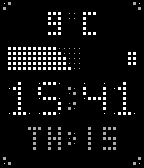
FacesA minimalist Pebble watchface with a distinctive pixel-grid aesthetic. Time, Date, Step Tracker, Weather and Battery Indicator. Access settings through the Pebble app: - Color Options: Background, foreground, and secondary colors fully customizable - Step Goal: Set target steps (default: 8,000) - Display Toggles: Show/hide steps, battery, and date - Time Format: 12-hour or 24-hour display - Date Line: Make your combination with - Redesign Date line, now you can customize left/right side information. - Added option are month name, weekday name, year, week of the year, month, day - Load Animation: Pick a load animation: None, Wave Fill, Random Pop, Matrix
 78
78It's Nothing
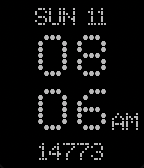
FacesThis Pebble watchface, inspired by NothingOS by Nothing Technology Limited, is still in the construction phase. Feedback is highly appreciated. Users can modify the following settings: - Modules - Date - Steps - Weather - Options - Change the background color (only for Pebbles with color screens) - Change the text color (only for Pebbles with color screens) - Set the 12/24 hour setting - Show AM/PM (only if the 12/24 hour setting is set to 12 hours) - Set an optional thickness for the time dots - Show seconds This watchface utilizes the font NDOT 47, which is licensed under the SIL Open Font License. Nothing Technology Limited owns the copyright for the NOTHING brand.