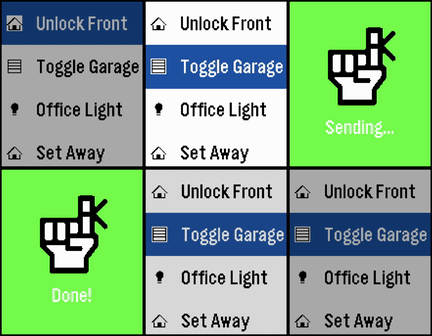
This application is a very simple home-assistant script-caller. The goal of the application is to be as simple as possible. It won't autodetect everything that you have configured or won't check the current statuses of entities, but it loads extremely fast and responds just as fast as well. Internally, it just does a POST request to your home-assistant endpoint and triggers a script.

Instructions:
* Go to your home-assistant UI and create one or many scripts (Settings -> Automations & scenes -> Scripts)
* Go to "Settings" for each script and take note of the entity_id (the part after "script.")
* Go to your Profile -> Security and Create a new Long-lived access token (make sure to save it somewhere safe, you won't be able to retrieve it again)
* Take note of how you access your home assistant URL, if it's just an IP, the shortcuts might only work when connected to your WiFi
* Install the app on your watch :)
* Go to the app settings through the Pebble app and fill in:
  - The Base URL (make sure to match http or https accordingly). It's highly recommended you leave the /api/services/script/ section alone unless you know what you're doing
  - The Bearer Token with the one you got on the previous steps
  - The information for each shortcut, each one has a display name, a script id (the entity id) and the icon

Note: this application has been created with the help of AI, it has been reviewed by a human and fully tested in emulators and real hardware.