 573
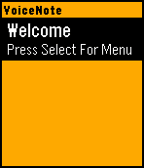
573Voice Note
Tools & UtilitiesVoiceNote allows you to easily save notes to your watch with your voice. An easy to use menu makes it easy to navigate and select your desired option. To Create a Note: - Open the App - Click Select to go to Menu - Click Up to create a new note - Speak the Title - Speak the Subtitle To Expand a Note: - Highlight Note you want to Expand - Click Select to go to Menu - Click Expand Menu To Delete a Note: - Hold Select when the note you want to delete is highlighted. Many more features will be coming in a future updates. Please message me if you find any bugs or want to suggest a feature. If you like the app, please consider donating here http://bit.ly/VoiceNoteDonate
 36
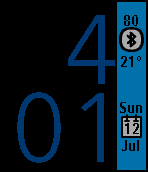
36Accent
FacesAccent is a modern and useful watchface. The time is displayed in a huge font across the entire watch length. On the side, the accent box displays... - Battery Life - Bluetooth Status/Disconnect Alert - Temperature(C/F) - Month, Day, and Date The configuration page allows you to change the background color, accent color, time color, and temperature format. Feel free to message me to make suggestions!
 170
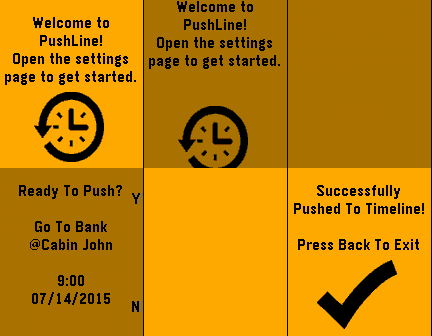
170PushLine
NotificationsPushLine allows you to push notes directly to your timeline. Simply open the settings page, enter your note, then set the time and date to appear on the timeline. Please e-mail me if you have any other suggestions for the app.
 146
146Push Note
Tools & UtilitiesPushNote allows you to push notes to your watch from the settings page. The notes save to the watch and can be viewed later without even having the phone connected. To delete a note: Hold select To hide notes: Click select Coming Soon: -Rearrange notes
 82
82Custom Note Live
Tools & UtilitiesWith CustomNote, it is easy to create and save custom lines of notes directly from your phone to show up on your watch. Now, with version 4.0, notes you enter on the settings page are updated live on the watch. Also new in 4.0 is the ability to save several supported emoji's in the note lines.
 125
125School Time
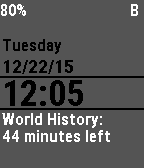
FacesSchoolTime allows you to see the time left in each period. The configuration page allows you to change: - Class Names - Background Color - Bluetooth/Battery Visibility - Toggle Bluetooth Alarm This watchface currently only works with a specific school day. We are working on allowing custom time inputs in the config page. Until then, you are able to get the source from github and change the times manually.