 14
14QR Time Simple
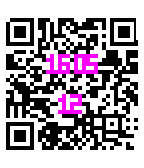
FacesDisplays the time in a QR Code. The time and day of month are written inside the QR code, as well as the Bluetooth connection status and the battery life. The QR code is also a valid code giving the time, date, battery life and bluetooth connection status! Pictures 1 & 2: 16:04 12/11/2015 80% BT:On Pictures 3 & 4: 16:05 12/11/2015 20% BT:Off The time and day of month are written in the middle of the code, as highlighted in pictures 2 and 4. The Bluetooth connection status is the top left pixel (white = disconnected, black = connected). The current battery level is displayed as a vertical bar on top right of the QR code.
 7
7QR Time
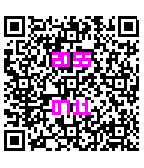
FacesDisplays the time in a QR Code. The time and date are written inside the QR code, as well as the Bluetooth connection status and the battery life. The QR code is also a valid code giving the time, date, battery life and bluetooth connection status! Pictures 1 & 2: 20:55 07/11 20% BT:Off Pictures 3 & 4: 20:55 07/11 80% BT:On The time and date are written in the middle of the code, as highlighted in pictures 2 and 4. The Bluetooth connection status is the top left pixel (white = disconnected, black = connected). The current battery level is displayed as a vertical bar on top right of the QR code.