Track your friends and family using Amicudar, a radar display on your wrist! Personalize with one of the included avatars and create a geofence to be notified when others are nearby.

SETUP
1) Install Amicudar.
2) Open Settings on your phone and enter a user and group name.
3) Send your friends and family your group name.

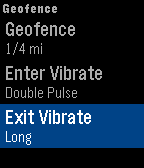
Then use Amicudar's menu system to choose an avatar, select metric/imperial, define a geofence, select an update interval, and show/hide the time.

USAGE
• The up/down buttons zoom in/out
• Shake to activate the display for 1 minute. The compass will show your actual heading and the progress bar will countdown to the next update.
• Joining and leaving the group is as simple as opening and closing Amicudar. You'll automatically be removed from the group after a little while once you switch to a watchface or another app.
• The status bar turns red if an update fails.

We're currently in beta and we would appreciate your feedback!