 135
135Helibble
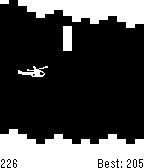
Classic helicopter. By Stuart Harrell.
 132
132Living The Dream
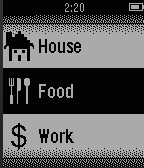
****NEW UPDATES*** (5/21/2015) Living The Dream is your second (better) life. Start off by getting a job to pull in some bacon. After earning mucho bacon, you can go to school, blow it on a new house, or simply cherish it because it's more money than what's in your real life bank account. Jokes aside, this is a very early release so don't expect too much yet. I currently have a whole list of updates and features I'll be adding to the game over the next couple weeks. Here's an incomplete list of confirmed upcoming new features: -View House: Will allow you to view the outside of your house. -Real Estate: Rent/Buy better apartments/houses. -Store: Will allow you to buy various things to interact with inside your house. Here is a list of unconfirmed (unconfirmed because I'm lazy and these would take a lot of coding) updates: -Stock Market/Investments: Make money while your player sleeps. -Walking work: Earn money and/or increase max energy for walking and exercising in your real life. -Avatar: A unique customizable avatar for every player. If you have any suggestions or ideas feel free to email me. Thanks! Changelog: 5/15/2015 (version 0.35) -Fixed bug with gym -Added vibrate option 5/16/2015 (Version 0.4) -Added auto save -Various bug fixes -Added Real Estate -Added cool icons 5/17/2015 (version 0.55) -Added food -Bug fixes. 5/21/2015 (version 1.1) -Added splash screen -Bug fixes -Lowered High School credits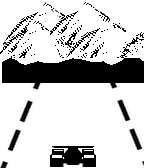 130
130Pebble Racer
Stay between the lines while you drive your F1 car around the track.
 128
128Square Tube 3D
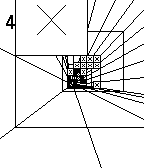
You are falling down the Square Tube. How long will you survive?
Tilt your watch to avoid obstacles.
 124
124License Revoked
GTA meets Goat Simulator meets SNES FX-chip graphics — an open-world crime sandbox.

Two islands, a causeway. Steal cars, run people down, rob the gun store, and lose the police in a parking garage. No missions — cause mayhem and get away with it.

* Controls with one hand: thumbstick on the touchscreen, buttons to turn and fire
* Money comes off bodies. Spend it at the gun store, or the strip club
* Drive a taxi and pick up fares if you'd rather earn it honestly
* Police escalate: arrests first, then guns, then a helicopter and SWAT if you keep it up
* Steal the police helicopter
 124
124TenTwentyFour
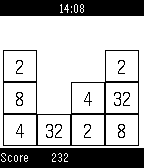
Mini-clone of 2048- super addictive 1024 math puzzle game. Slide matching number tiles together until you get to the elusive 1024!
 124
1242048 Touch
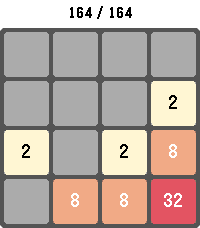
Play the classic 2048 sliding-tile puzzle on your Pebble. Combine matching numbered tiles to add them together and work your way up to the 2048 tile — and beyond.

Swipe to move on touch-capable Pebbles, or use the physical buttons on every other model. Your board, score, and high score are saved automatically, so you can put the watch down and pick the game back up anytime. Long-press SELECT to start a new game, long-press BACK to exit.

Supports Pebble Classic, Pebble Time, Pebble Time Round, Pebble 2, Pebble Time 2, Pebble 2 Duo, and Core Devices Pebble.
 124
124Match'em
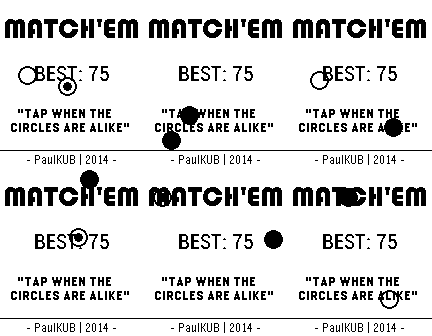
Match'em is a simple one touch game that will keep you entertained for hours.
Tap when the circles are alike, else you lose.

If you're looking for a challenge, Match'em is your best choice !

Update with new features coming in a few monthes, when the Pebble Time will be released.
 123
123Icon Pop Quiz
ICON POP Quiz challenges players to name famous characters using imaginative, handcrafted visual clues inspired by each answer. Can you guess all the icons?
 122
122PebbleQuest
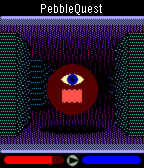
A 3D fantasy action-RPG! Explore dungeons, slay monsters, level up, and wield Pebbles of Power to cast spells or enchant your weapons and armor. How long will you last in the dark, cavernous depths of PebbleQuest?

UP: Press/hold to step forward. Press twice to turn left.
SELECT: Press to use your current weapon/spell.
DOWN: Press/hold to step back. Press twice to turn right.
 117
117Real Time 3D Ray Tracer
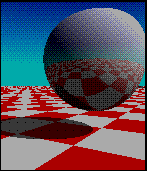
Experience the full computational power of Pebble Time with this real-time ray tracing application.
Everything is computed by the watch itself on the fly.
Rotate the view to see the beauty of the reflections, change the textures on demand.
- UP/DOWN : Rotate the view left or right
- SELECT : cycle through the 3 different texture of the ground plane
 116
116Web-Slinger
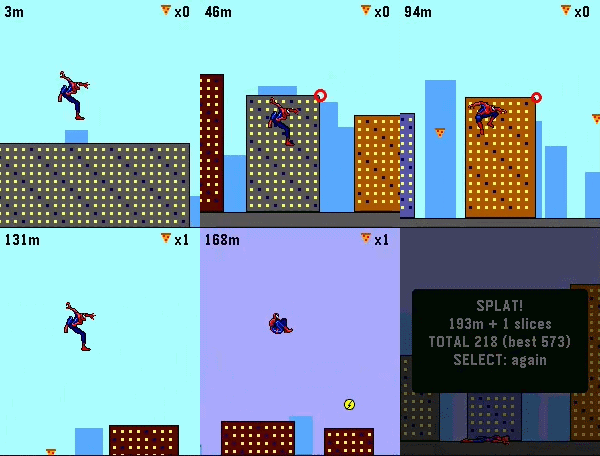
Swing through the city like Spider-Man. Web-Slinger is a momentum-based arcade game made for those spare one-or-two minutes on your wrist. Made with Real Sprites from Spider-Man: the Movie on Gameboy advance!

Hold any button or use the touchscreen and hold your finger anywhere on the screen to fire a web and swing. Gravity does the rest: dive to build speed, whip through the bottom of the arc, and release on the upswing to launch. Your swings ARE your speed, so clean timing sends you flying through the skyline while sloppy timing bleed your momentum away. Careful — the web snaps if you dangle too long. Collect slices of pizza on your way to boost your score! Grab a lighting boost for extra speed! Falling to the ground ends the run and records your high score!

Features:

Real pendulum swing physics — momentum you can feel
Six suits: classic red & blue, black symbiote, Iron Spider, Miles, 2099, and Scarlett — your pick is saved.
Day & Night Cycle based on how far you make it!
Touchscreen and button controls, works great with either.
Best score saved on the watch, auto-pause when notifications interrupt.
Built for Pebble Time 2 and Pebble Round 2
 112
112Chinese Toy Phone
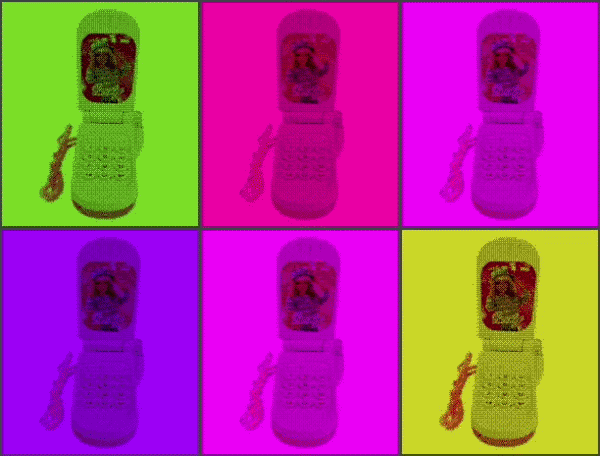
ay ay ay im your little butterfly ay ay ay im your little butterfly

press select to use the phone, and press up/down to change the volume. you can also use the touch screen if you're using PT2 lol
 111
111MiniLOTR
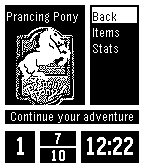
Traverse Middle-Earth fighting your way through random encounters with all of your favorite creatures from Tolkiens universe! Stay alive, use your magic sparingly, and prepare yourself for your battle with the Dark Lord...

Sauron must be defeated! You must save Middle-Earth!

Based off code of Torivons "MiniDungeon."
 111
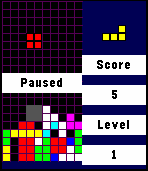
111Tebbletris
Tetris for the Pebble Time! I loved the original Pebble's Tetris app, so I decided to make one in color for the Pebble Time.

Controls:
Back: Pause / Quit. Progress is saved automatically when you quit from within a game.
Up: Move block left.
Down: Move block right.
Select: Rotate block / Resume.
Up (hold): Snap block left.
Down (hold): Snap block right.
Select (hold): Quick drop.

This project is open source under the MIT license! I think that I've tested it well, but I wrote it quickly in my free time so please report any bugs you run into.

Github: https://github.com/WRansohoff/Tetris-PebbleTime

Credits:
Thanks to kamotswolf for adding an option to toggle the drop shadows.