 5
5Verse
Simple app to get a verse of the day

Powered by ourmanna.com API
 21
21Mindful Practices
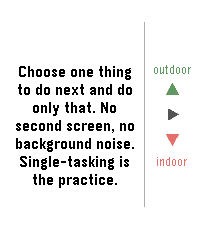
An app to remind you to slow down and smell the flowers. This app comes will many prompts that can help you be a little more mindful each day and even set reminders if you'd like to get in the habit of enjoying this odd life we're in.
 2
2Should I Run?
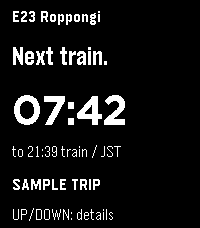
Your next Tokyo-area train, at a glance. Should I Run mirrors your selected station, direction, departure countdown, estimated outdoor distance and pace to Pebble Time 2. Supported lines include Toei, Tokyo Metro, JR East and Tokyu.

Requires the Should I Run phone or web app and an internet connection. Open https://should-i-run.yoroshi.workers.dev on your phone, select your trip, then copy the watch connection into this app’s Settings. Keep the phone app open while syncing.

Select refreshes the trip; Up or Down shows details. Live reports and scheduled estimates are labeled. Pace advice expires after 30 seconds without fresh data; the last countdown continues with a STALE label. Walk inside stations; distance and pace are estimates. Screenshots show fictional sample trips.
 11
11Ukraine Alerts
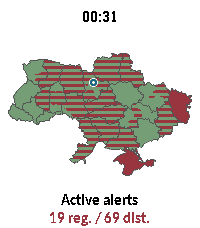
Ukraine Alerts brings real-time air raid alert monitoring and situational awareness directly to your Pebble smartwatch. Featuring an interactive vector map of Ukraine, the app tracks sirens across all regions and districts with live updates every 15 seconds.

Key Features:

🗺️ On-Device Vector Map: Renders full vector boundaries for all regions and districts with instant color-coded status.
📍 "My Safety" & GPS Pin: Uses your phone's location to place a marker on the map and prioritizes alert status for your immediate area.
⏱️ Active Sirens & Durations: Browse a dedicated list of currently alarmed regions with elapsed time counters (minutes, hours, days).
🔍 Smooth Navigation & Zoom: Zoom in (1.0x to 4.0x) to inspect specific raions or tap any region for instant details. Full touchscreen drag & tap support on compatible hardware (emery, gabbro).
🌐 Multilingual & Cyrillic Support: Bundles clean Cyrillic typography (Carlito font) and in-app language switching (Ukrainian, English, etc.).
🔄 Resilient Data: Automatically polls every 15 seconds with built-in API failover to ensure dependable uptime.

Controls:

UP / DOWN: Zoom in & out (1.0x – 4.0x)
SELECT: Open Active Alerts & Safety menu
BACK: Clear selection / Reset view / Exit
Touch / Tap: Drag to pan across the map, tap to inspect any oblast or district

Privacy & Data:

Geolocation is only used to compute your relative position within Ukraine and is never stored or transmitted externally.
Data sources: vadimklimenko.com & ubilling.net.ua.
 143
143Pebbles on the Street
The Pebble version of a popular on-the-go editor for OpenStreetMap — StreetComplete! Not affiliated with StreetComplete itself (yet 😛).

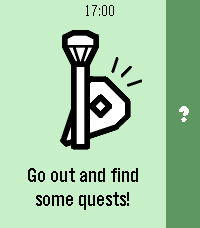
This app lets you improve public maps by completing quick and simple quests right from your Pebble. For example:
- How many levels does this building have?
- Does this pedestrian crossing have audible signals for accessibility?
- What road surface does this road have?

How it works:
1. Start the app on your Pebble and go for a walk!
2. When you come across a quest nearby, your Pebble will vibrate and point you towards it.
3. When you're at the quest location, you can answer the question from your watch.
4. If you don't feel like answering, you can back out of the quest and search for another one.
5. If something isn't clear in the quest situation, you can dictate a note for other mappers to review later.

This app has been developed for the Pebble Spring app contest with no access to actual hardware. Once I get ahold of my Pebble, I will probably significantly revamp the application and polish the experience further.
 1
1TransLoc
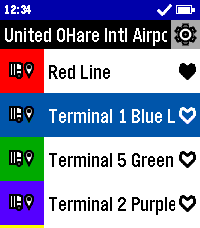
Catch the bus in style with TransLoc for Pebble! This app can get you where you need to go. Don't second guess when your bus will arrive, find out now from the comfort of your wrist!

This app is designed to be used in conjunction with either the official TransLoc mobile app, or a live tracker website based on TransLoc services. This app is meant to provide at-a-glance information, but is not meant for viewing a route on a map.

Features Include:
- At-a-Glance, Up-to-Date Route Information
- Support for over 100+ Transit Agencies
- Live Bus Distance Tracking*
- Live Bus Capacity Tracking*
- Location-Based Nearest Stop Information
- Favorite Routes

Potential Planned Features:
- Add Original and Round Watch Support
- Filter Running Routes from All Routes
- Add Alerts Feature from Transit Agencies

*For Buses with Tracking Support

This project is open source! Check out the code yourself on GitHub!

DISCLAIMER: THIS PROJECT IS NOT AFFILIATED WITH TRANSDEV, TRANSLOC, NOR ANY AGENCIES AVAILABLE WITHIN THE APP.
 5
5BKK Departures
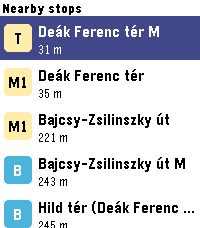
Live Budapest public transport departures on your wrist - nearby BKK stops, real-time countdowns, and favourites.
 45
45Marquee
Marquee
Got something you need to glance at quickly? Marquee shows any text you want right on your wrist. Always visible, no fumbling with your phone.
Perfect for:

🔑 Door and gate PIN codes
📶 WiFi passwords for guests
🅿️ Parking spot or floor number
🔢 Locker combinations at the gym
🗺️ A hotel room number while travelling

Different font sizes let you dial in exactly how much text fits comfortably on your screen. Set it once via the Pebble app, and your text stays on your wrist until you change it. Even after a restart. Scroll using up and down, center button jumps to the top. Use this sign ^ for line Feed.
Simple. Fast. Always there.
 23
23tg
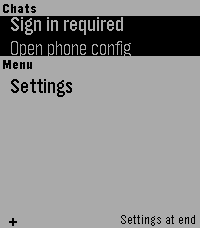
Telegram interface for Pebble (unofficial). Read your messages and send with dictation. Message your friends -- or your OpenClaw -- all from your Pebble!
 4
4BCN Bus - live Barcelona bus times
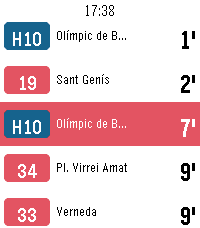
Real-time bus arrivals for Barcelona on your Pebble. See how long until the next bus at any TMB stop without taking your phone out. Favourites— keep the stops you use every day and open them in one press. Nearby — find bus stops near you by GPS, nearest first, with the distance in metres. Search by code — type the stop code printed on the bus stop sign. Open a stop for every line calling there, soonest first, each in its own line colour. Pick a line for its next two buses and where they are headed. Live times from TMB's iBus service, refreshed every half minute, with the clock on screen throughout. Metropolitan AMB lines and Nitbus night buses included. In Catalan, Spanish and English. Works on Pebble Time, Time 2, Time Round, Pebble 2 and Core Devices watches. Unofficial: not affiliated with, endorsed by, or connected to Transports Metropolitans de Barcelona. It reads TMB's public developer API. Bus times are predictions and can be wrong — check the stop sign for the last bus of the night. Keywords: Barcelona, bus, TMB, AMB, iBus, bus times, arrival times, next bus, bus stop, nearby stops, public transport, Nitbus, night bus, Catalonia, transit, real-time. 43
43Patch
Harness the power of iOS Automations to send text messages (including iMessages) from your Pebble! No server required.

Patch uses Outlook (yes, Outlook!) to send an email to yourself, which triggers an Apple Shortcuts automation to intercept the notification and send the text message.

The whole process takes less than ten seconds and requires no intervention after you hit send on the Pebble.

You can also assign emojis to contacts, and program up to 10 canned messages.

This app only works if you properly configure the automation on your phone. Be sure to carefully follow the setup guide in the app settings.

Official text response functionality on iOS should be coming soon to the EU as a result of Article 6(7) of the Digital Markets Act.
 1
1Bahá'í Prayers
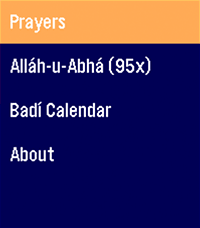
An application for Bahá'ís to access a quick prayer book, act as a digital replacement for prayer beads in a pinch, and show you the current date on the Badí / Bahá'í calendar!

COMING SOON:

* Pre-populate holy days and feasts on your timeline
* Qiblih finder (I have to figure out the heading / compass API... my brain hurts)
 40
40Moon Phase
See the Moon exactly as it looks in the sky tonight — right on your wrist.

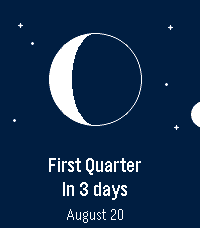
Moon Phase draws the Moon the way you'd actually see it — the real illuminated shape, oriented for your hemisphere — then tells you what's next and when. No phone required: everything is computed on the watch.

🌒 The real Moon — the current phase drawn as a crisp disc, lit exactly like the sky above you.
⏳ Next phase, at a glance — “In 4 days” and the date, front and center.
📜 What's coming — press SELECT for the upcoming new, first‑quarter, full and last‑quarter dates.
🧭 Hemisphere aware — the crescent flips for the Southern hemisphere, set automatically from your location.
🌍 Speaks your language — English, French, German, Spanish, Italian, Portuguese and Chinese, with local date formats.
🗓️ In your Timeline — upcoming phases show up as pins.
🎯 Accurate & offline — a proper astronomical model, good to the minute.
 1
1Baby Watch Reborn XL
Adds extra features to Baby Watch Reborn
 23
231 More Episode
"#^%$! I fell asleep and woke up watching a different season! What was the last episode I saw?!" - You, probably

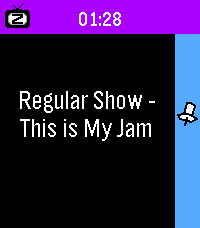
Well now your Pebble smartwatch can tell you! This app uses your Pebble Health data to match the time you fell asleep with your Jellyfin/Plex watch history. You can even track what you fell asleep to each night on your past timeline!

Simply provide your Jellyfin/Plex (Tautulli) API key+URL in settings and let your Pebble keep track! The app changes themes automatically to match your streaming platform of choice.

Due to limitations of Pebble sleep data retention, it can only show data for your most recent sleep session, and it has to be within the last day, so be sure to launch the app the day you wake up from your binge!

WARNING:
Jellyfin is strongly encouraged! Plex support requires installing Tautulli since the official API doesn't seem to want to return watch history (unless you have Plex Pass?).